Know what every stone really cost.

Facetz follows your rough from purchase to sale — every gram, every hour, every loss — so you see the true cost of each finished stone and what you actually made. For cutting shops and production lines.

Start free trial Watch the 2-minute tour

14-day free trial · no card needed · 11 languages

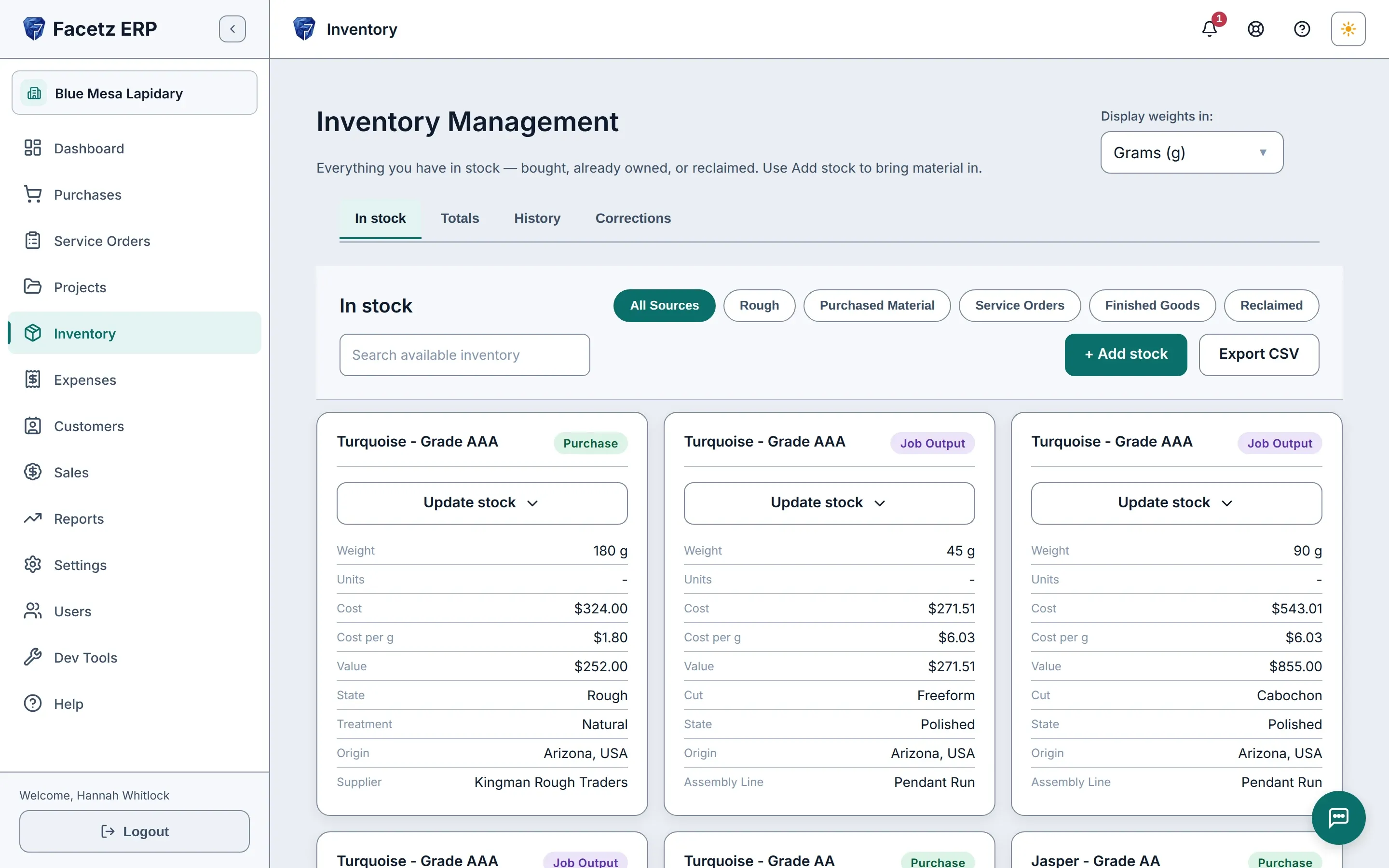
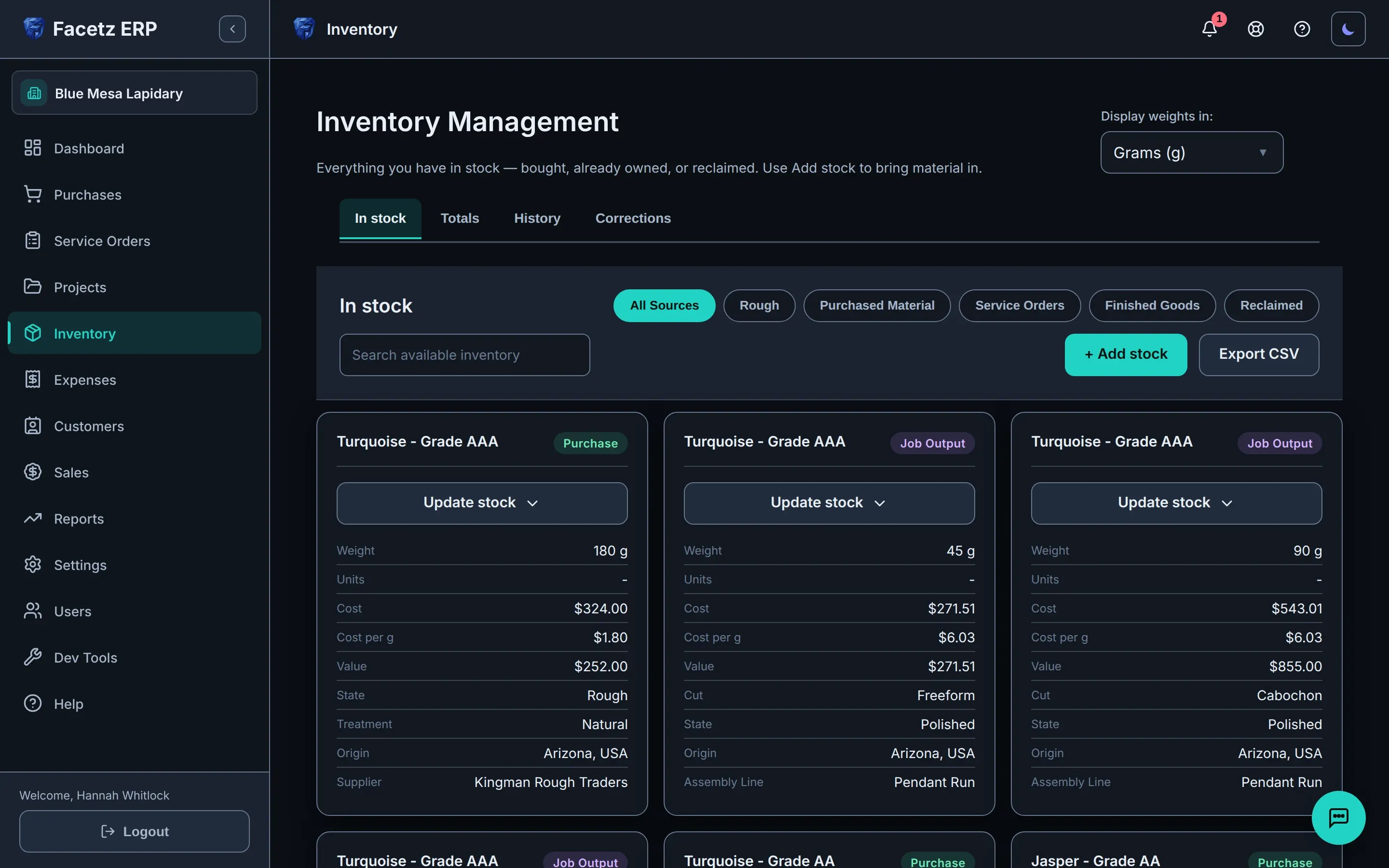
The stock view: purchased rough and job output side by side, each card with its weight, cost, market value and origin.The stock view: purchased rough and job output side by side, each card with its weight, cost, market value and origin.
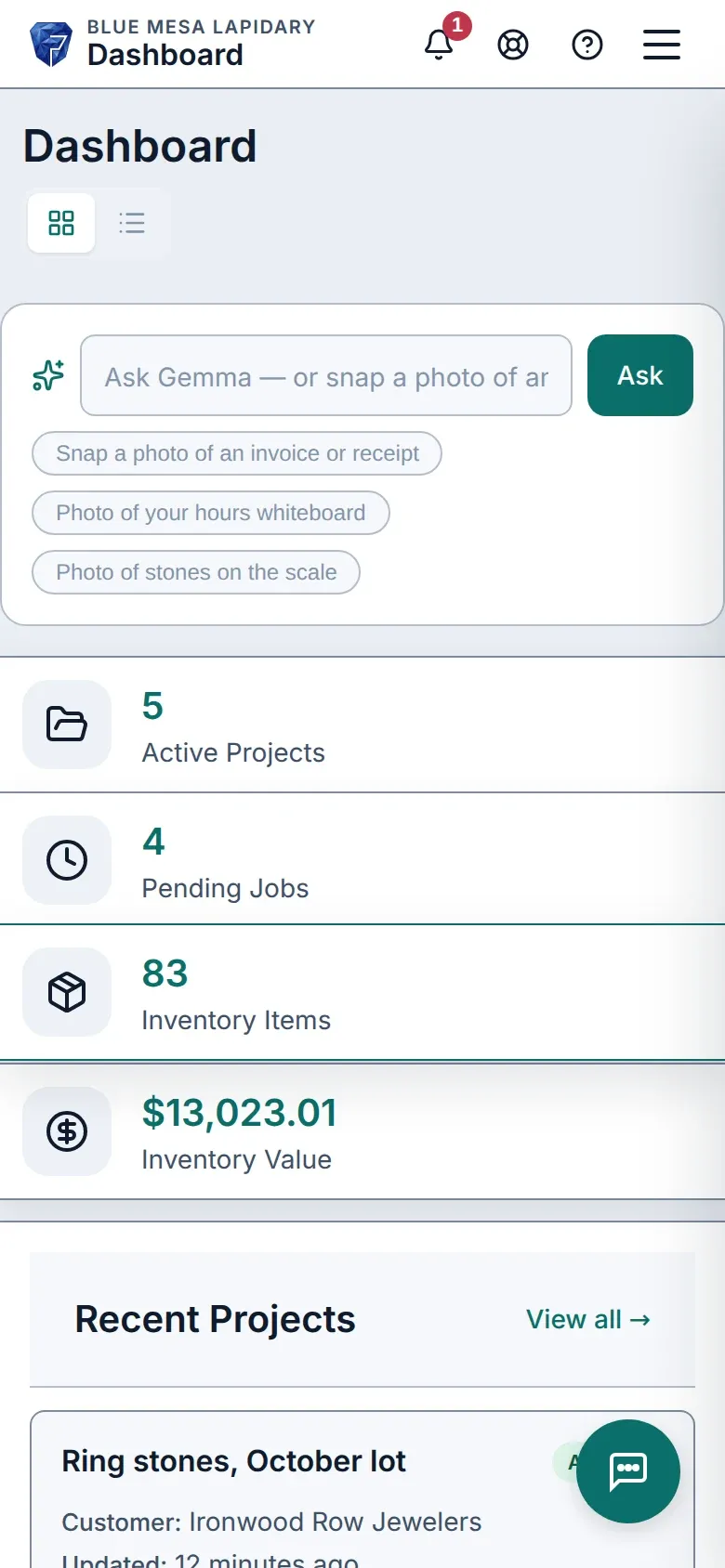
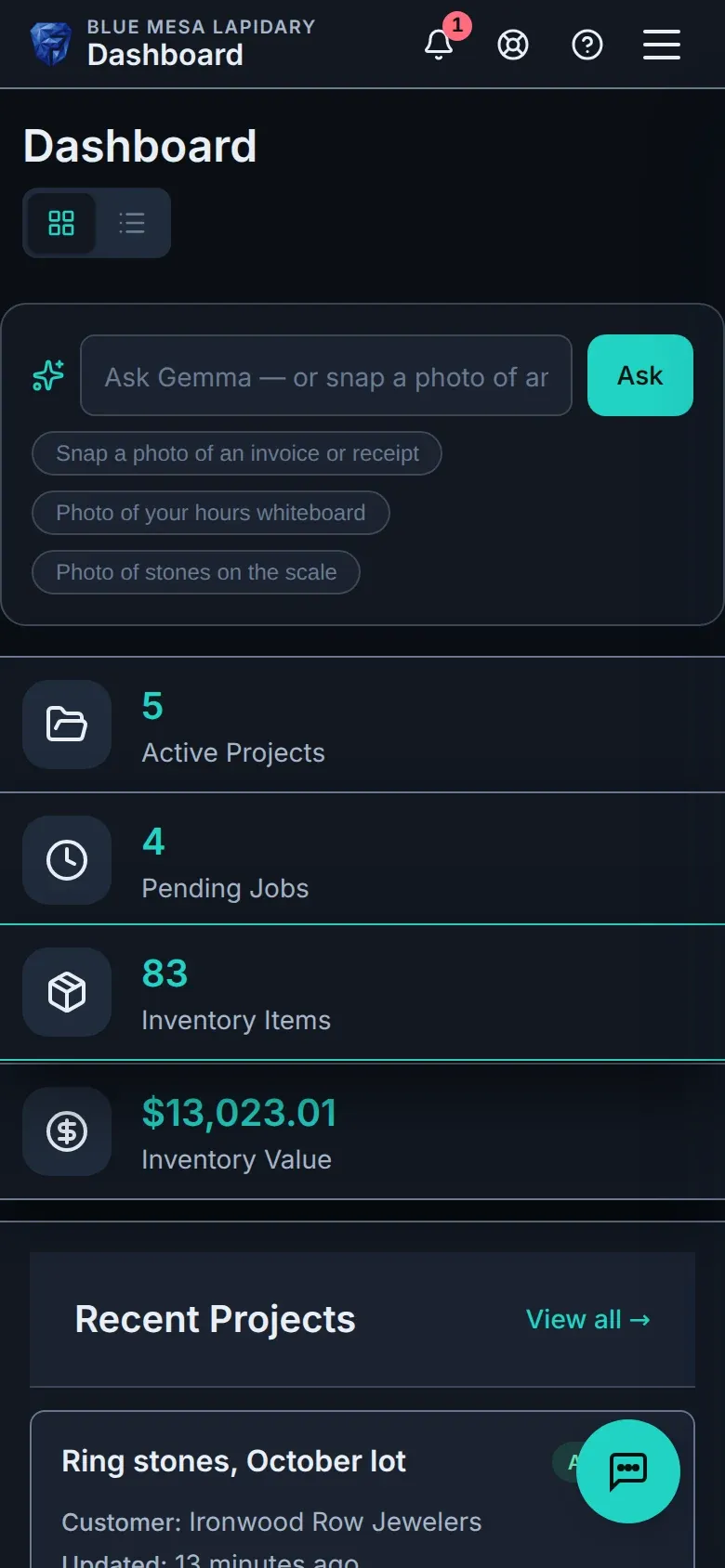
The Facetz dashboard on a phone.The Facetz dashboard on a phone.

See it in 2 minutes

Buy a lot, cut it, sell it. That’s the whole app.

Video language
Playback speed
Transcript
  1. Facetz. Know what every stone really cost.
  2. This is Juniper Bench, on day one. Home shows the three things a shop does: get material in, work it, sell what you made. Facetz keeps track of which ones you've done.
  3. Start with the stone. Tap Add stock. Bought it, or already had it on the shelf? Either works.
  4. A supplier, the stone, two hundred grams, three hundred sixty dollars. Save.
  5. Facetz asks what's next. Start a project with it.
  6. Name the project, say it's one job, and the stone is in it.
  7. Start the job.
  8. Worked yesterday morning, nine to eleven? Enter it as written.
  9. When it's done, say what came out: sixty grams of cabochons, a hundred and forty grams of waste.
  10. And Facetz tells you what each gram cost you: seven dollars a gram. That's the rough at what you paid, plus your hours.
  11. Back home. Two down.
  12. Sold twenty grams to a gallery, twelve dollars a gram. Finalize, and the invoice is ready.
  13. What you made: a hundred dollars of profit, after what the stone cost you. Not a guess.
  14. That's the whole app: buy it, work it, sell it.
  15. What's in stock: the forty grams of cabochons you kept.
  16. How's the money: what you sold, what it cost, what you made.
  17. Or skip the forms. Tell Facetz what you did, and Gemma writes it up for you to confirm.
  18. Gemma reads the stone, the weight, the price and the supplier, and drafts the purchase.
  19. It waits on a card until you confirm.
  20. Confirmed. A real purchase, from one sentence.
  21. Know what every stone really cost. Start your free trial today at facetz.app.

Want the whole picture? Watch the 6-minute full tour

Sound familiar?

  • Costs live in three spreadsheets and a whiteboard.

    One ledger, from rough to invoice.

  • You know what the parcel cost — not each stone.

    Cost per finished gram: rough + labor + loss.

  • Hours on the whiteboard, yields in someone’s head.

    Timers per worker — or photograph the board and Gemma logs it.

From rough to invoice

  1. Buy

    A kilo of turquoise, in any currency — every gram tracked from the day it arrives.

    The stock view: purchased rough and job output side by side, each card with its weight, cost, market value and origin.The stock view: purchased rough and job output side by side, each card with its weight, cost, market value and origin.
  2. Cut

    Jobs per phase on the board, each cutter timed — or a crew on an assembly line.

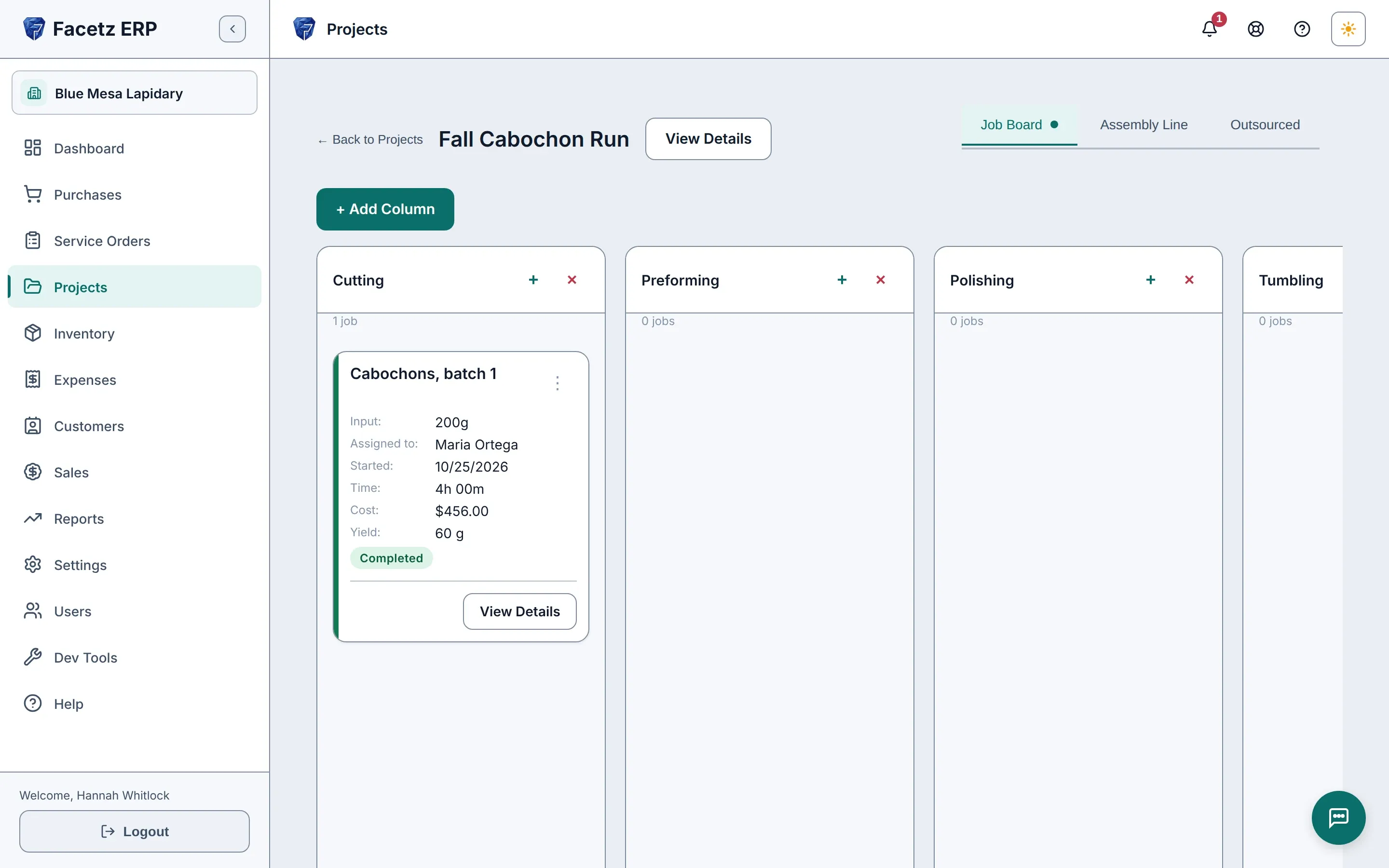
    The Job Board of a project: one column per phase, the job card with its cutter, hours and yield.The Job Board of a project: one column per phase, the job card with its cutter, hours and yield.
  3. Cost

    Yield and waste logged; every finished stone priced from rough, labor and loss.

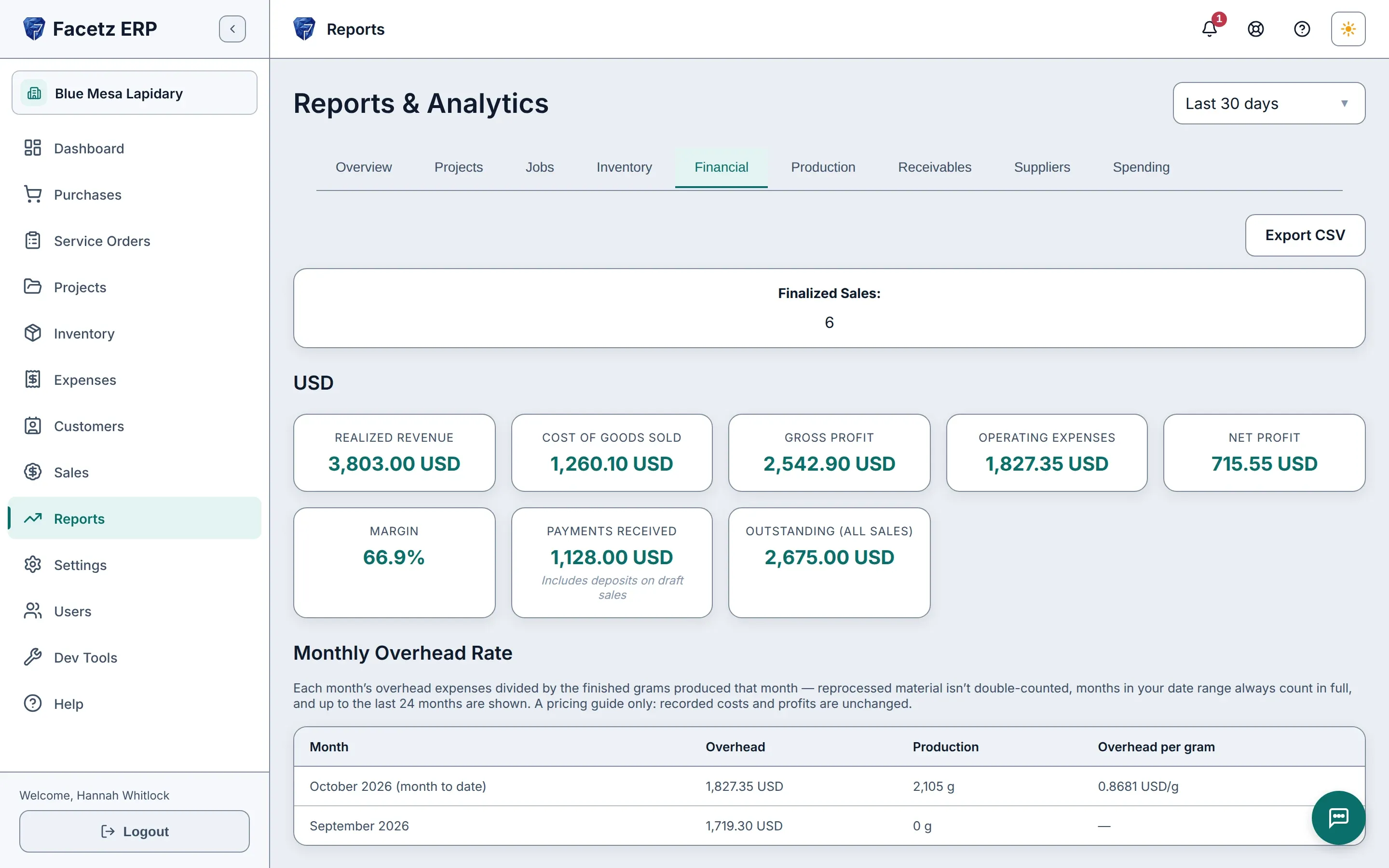
    The Financial report: revenue, cost of goods, margin and net, per currency.The Financial report: revenue, cost of goods, margin and net, per currency.
  4. Sell

    Invoice from real stock, with the profit locked in the moment you finalize.

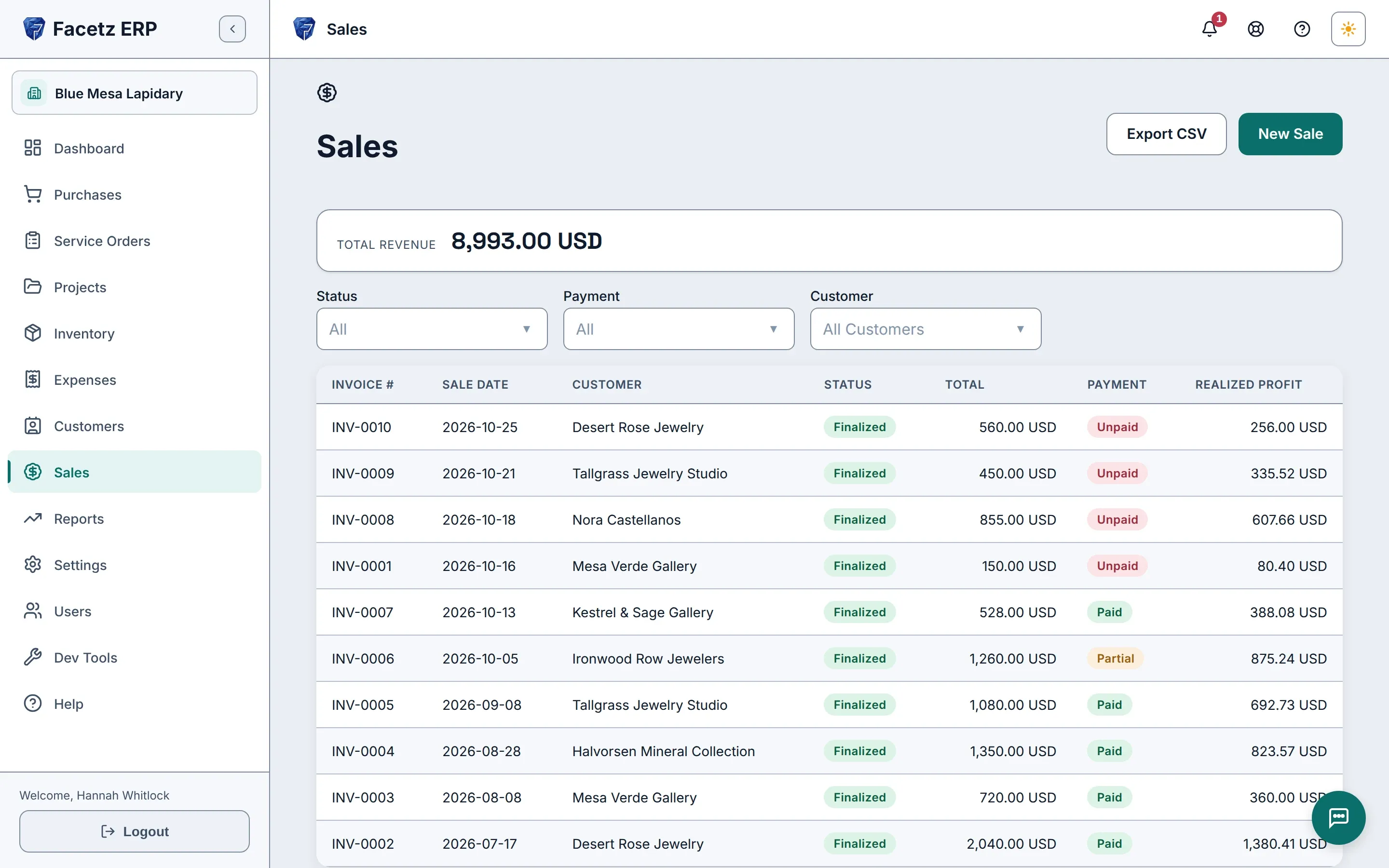
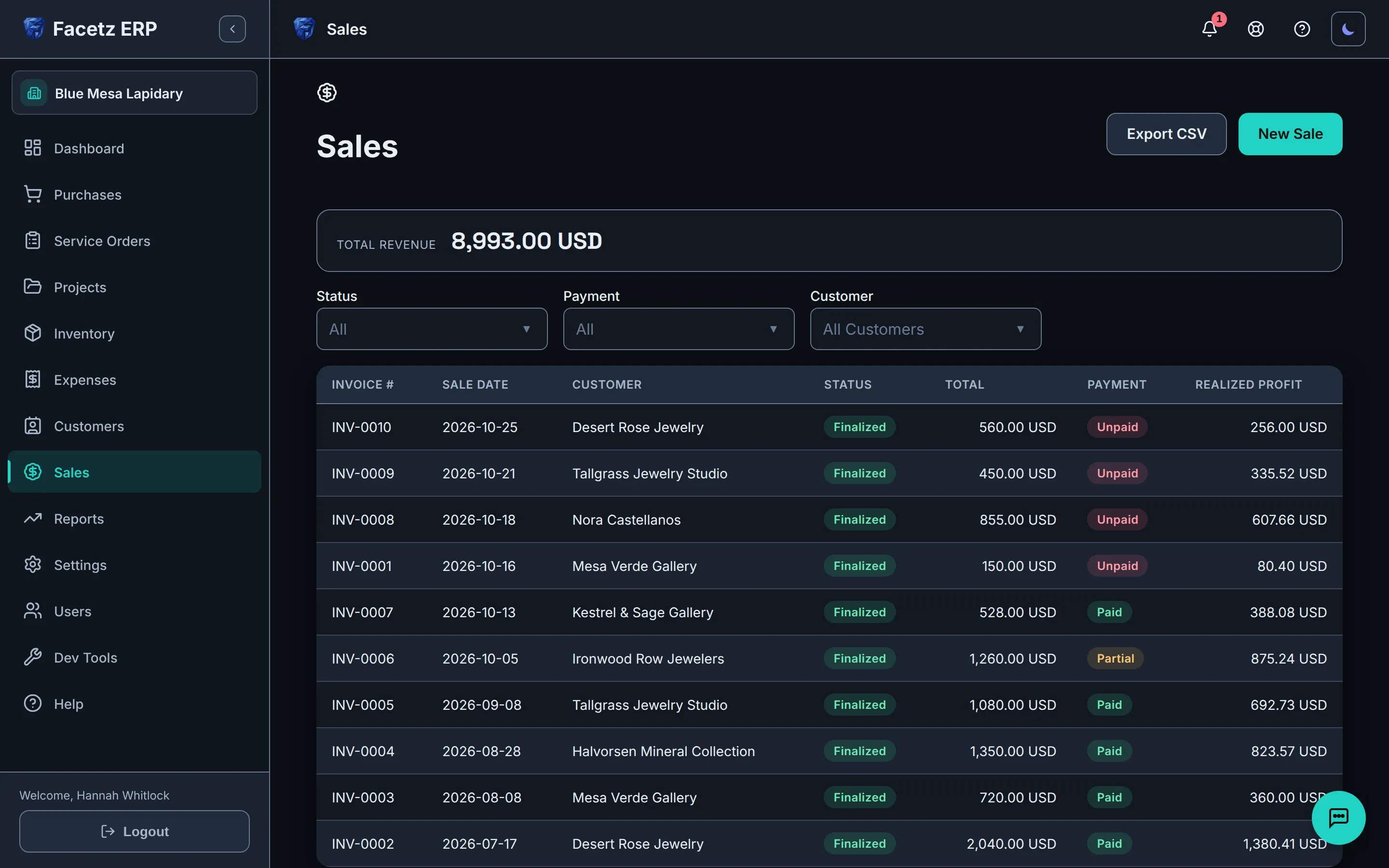
    The sales list: finalized invoices with their totals, payment status and realized profit.The sales list: finalized invoices with their totals, payment status and realized profit.

Gemma does the typing

The built-in assistant reads what you show it and drafts the record — nothing changes until you confirm.

  • Photograph the hours whiteboard — every row is logged.
  • Stones on the scale — the weight is drafted onto the job.
  • Drop in a spreadsheet — Excel, CSV or Google Sheets — and it imports your data.
  • Ask about stock and money and get an answer from your own records.
  • Every action lands on a confirmation card. Nothing changes until you say so.
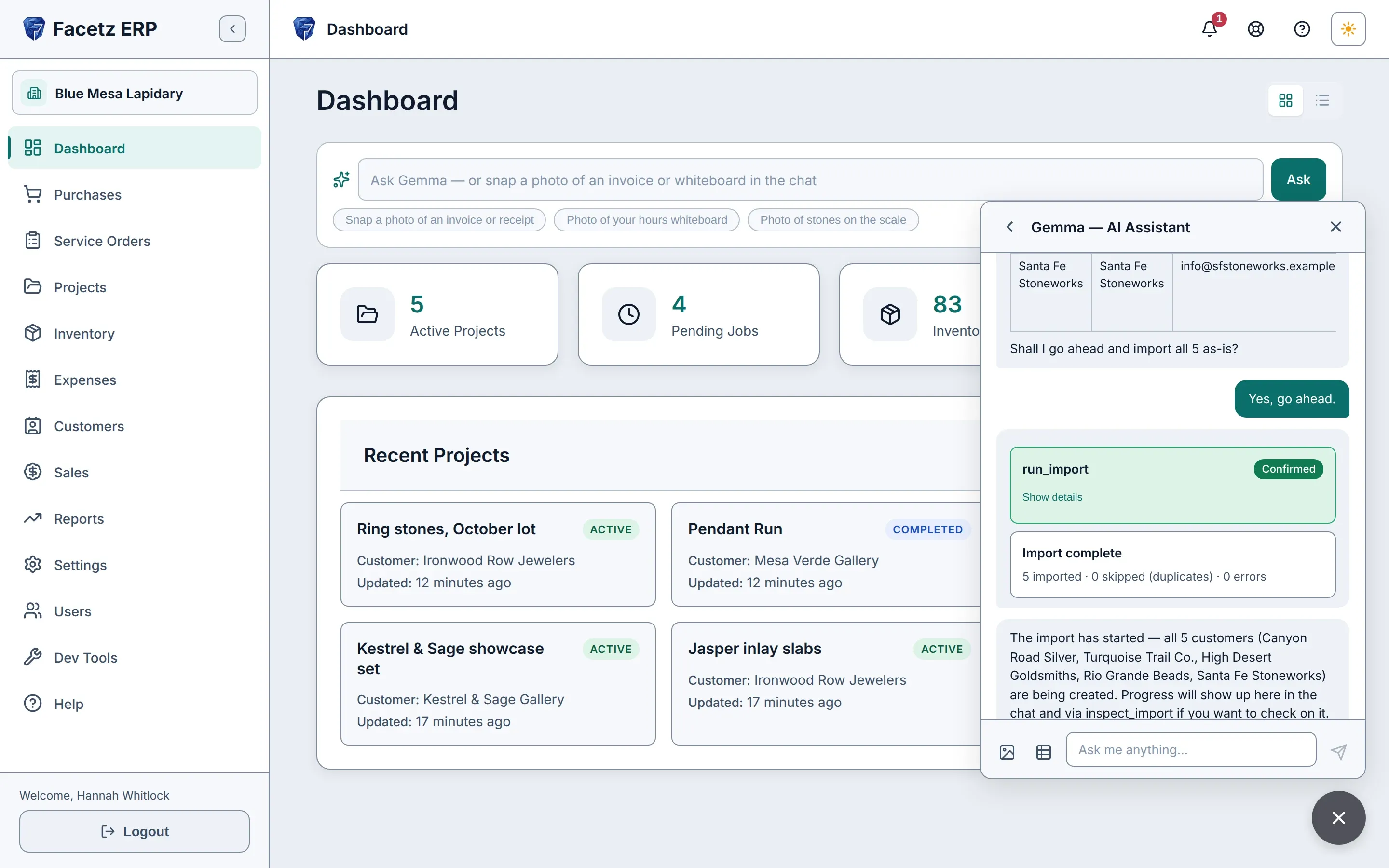
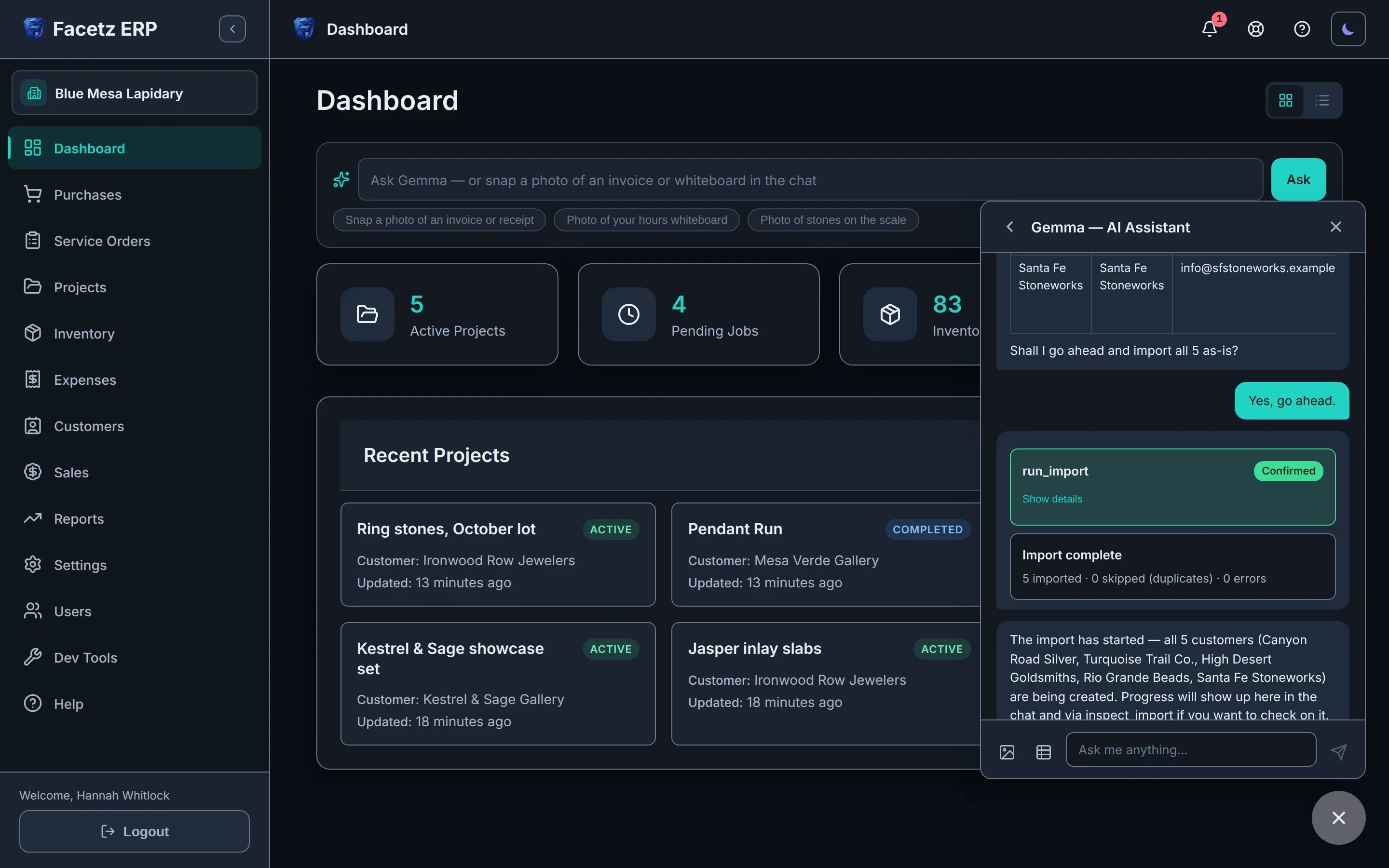
Gemma, the built-in assistant, importing a customer spreadsheet from the chat panel.Gemma, the built-in assistant, importing a customer spreadsheet from the chat panel.

The full tour

Phases, assembly lines, expenses and costing, and Gemma reading invoices, whiteboards and spreadsheets — everything Facetz does, in 6 minutes.

Video language
Playback speed
Transcript
  1. Facetz. Know what every stone really cost.
  2. This is Blue Mesa Lapidary. We'll start in Settings.
  3. Facetz works the way your shop does: your phases, materials, cuts and grades, named your way.
  4. Need a tumbling step? Add the phase, name it, save.
  5. And it's ready on every job board and assembly line.
  6. Now, buy some rough. A new purchase: Arizona turquoise, from Sleeping Beauty Mine.
  7. It's rough, grade triple-A. Five hundred grams, for nine hundred dollars.
  8. Save it, and every gram is tracked from the day it arrives.
  9. Facetz asks what's next. This lot goes into a project in a minute, so just close the card.
  10. The card always shows what's left.
  11. Next, a project: the Fall Cabochon Run. It takes two hundred grams of that turquoise, and the other three hundred stay in stock.
  12. Every project, at a glance. Let's open its job board.
  13. A column for every phase, tumbling included. Add a job in cutting, and assign it to Maria.
  14. She'll cut two hundred grams.
  15. Maria starts the job, then her own timer: one tap to start, one to stop.
  16. Hours on the whiteboard? Enter them as written: yesterday, eight to noon.
  17. Four hours, logged.
  18. When the job's done, record what came out: sixty grams of polished cabochons, and a hundred and ten grams of waste.
  19. Open the details: seven dollars sixty a gram. That's Maria's hours at her rate, plus the stone at what you paid.
  20. For a bigger run, start another project: the Pendant Run, three hundred grams, and tick one box to make it an assembly line through every phase.
  21. Now add the crew. Maria, then Daniel, each at their own pay rate.
  22. Each of them gets a timer for every phase.
  23. Maria taps start on cutting, and the clock runs until she taps stop.
  24. Daniel's hours are on the whiteboard, so just photograph it, and hand it to Gemma.
  25. Gemma reads the board: every name, phase, start and finish, and checks it against the line.
  26. She shows what she'll log, and asks first.
  27. Each entry arrives as a confirmation card. Nothing changes until you confirm.
  28. Confirm, and the hours are on the line.
  29. Daniel's cutting and polishing, Maria's preforming. Gemma logs all three, then checks her work against the line.
  30. Back on the line, labor and cost add up per phase, live.
  31. When the run's done, complete it.
  32. Log each product as its own yield: ninety grams of cabochons, forty-five of freeforms, a hundred and twenty grams of waste, and there's your yield, forty-five percent, before you confirm.
  33. The line's card keeps it all: output, hours, cost and yield.
  34. What about the costs that aren't stone or labor?
  35. Log any expense, any time. Say, resurfacing the diamond wheel: forty-five dollars, linked to the Pendant Run.
  36. Capitalize it, and it follows the stones into their cost and inventory value.
  37. Marked as capitalized. Now, open that project's cost report.
  38. One page per project: material, labor, and that expense, six dollars and three cents a gram, all in, and the yield for each material.
  39. In inventory, finished goods are one click from the rough: at true cost, valued at market.
  40. Search to find any stone.
  41. The Totals tab splits stone from work, with lifetime yield for each material.
  42. Time to sell. Desert Rose Jewelry wants forty grams of those cabochons, at fourteen dollars a gram.
  43. Save, finalize, and the cost basis is frozen on the invoice.
  44. Two hundred fifty-six dollars of real profit. Not an estimate.
  45. If goods come back, void the invoice, and the stones go back into stock.
  46. Reports are always ready: revenue, cost of goods, margin, net.
  47. Production shows yield, value added, and each cutter's output.
  48. And every table exports to Excel.
  49. Or skip the forms, and just show Gemma, the built-in assistant.
  50. Snap the supplier's invoice, attach it, and ask Gemma to log it as a purchase.
  51. She reads the supplier, the stone, the weight and the price, and matches them to your records.
  52. Then she drafts the purchase, and asks before saving.
  53. Go ahead, and there's the card to confirm.
  54. Confirm, and it's a real purchase: three hundred grams of triple-A turquoise, five hundred forty dollars, from Kingman Rough Traders.
  55. The same record you'd have typed by hand, from one photo.
  56. There it is, every gram available.
  57. Moving from a spreadsheet? Drop it in the chat, and ask Gemma to import your customers.
  58. She maps the columns: name, company, email, phone, and checks every row: five valid, no errors, no duplicates. Tell her to go ahead.
  59. The import waits on its card until you confirm.
  60. All five are imported in one go, and Gemma sums up exactly what she did.
  61. No retyping. No copy and paste.
  62. And there they are: five new customers, ready to sell to.
  63. Know what every stone really cost. Start your free trial today at facetz.app.

Built for how you work

Owner-run shops

  • Simple mode: a short task menu with Gemma front and center.
  • Runs on a phone, at the bench, offline if it has to.
  • The true cost of every stone you cut.
  • Clean, print-ready invoices from real stock.

Production lines

  • Assembly lines through every phase, with crews at their own pay rates.
  • Day, week or month wages spread over the work they went into.
  • Yield measured against pooled material.
  • Outsourced jobs: send material out, book the returned yield and the payment.
  • Any currency, with reports never blended.
  • Pay rates hidden from workers.

Built in a working shop

Facetz started at Nino’s cutting bench. Spreadsheets couldn’t follow a kilo of turquoise through cutting, shaping and polishing, so we built the system that could — and ran the shop on it.

We cut turquoise, opal and lapis. I always knew what a parcel cost me — never what a finished cabochon did. Now every stone is priced from what it really cost: rough, labor and loss.

Nino, co-founder · Nino’s
  • Your data is yours — export everything, any time.
  • If billing lapses, your workspace goes read-only. Nothing is deleted.
  • Every company’s data is isolated, on every query.
  • Works offline at the bench.
  • 11 languages, manual included.

One plan for your whole shop

$59/month

  • 1 Owner · 1 Manager · 1 Worker included
  • +$12/month per additional user, any role
  • Gemma AI — Starter allowance included
See pricing

See what every stone really cost

Start with your real team and your real stones — 14 days free.

Start your free trial

Questions? hello@facetz.app · Contact