了解每颗宝石的真实成本。

Facetz 从采购到销售全程跟踪您的原料——每一克、每一小时、每一点损耗——让您看清每颗成品宝石的真实成本,以及您实际赚了多少。专为切割店铺和生产线打造。

免费试用 观看 6 分钟演示

14 天免费试用 · 无需信用卡 · 11 种语言

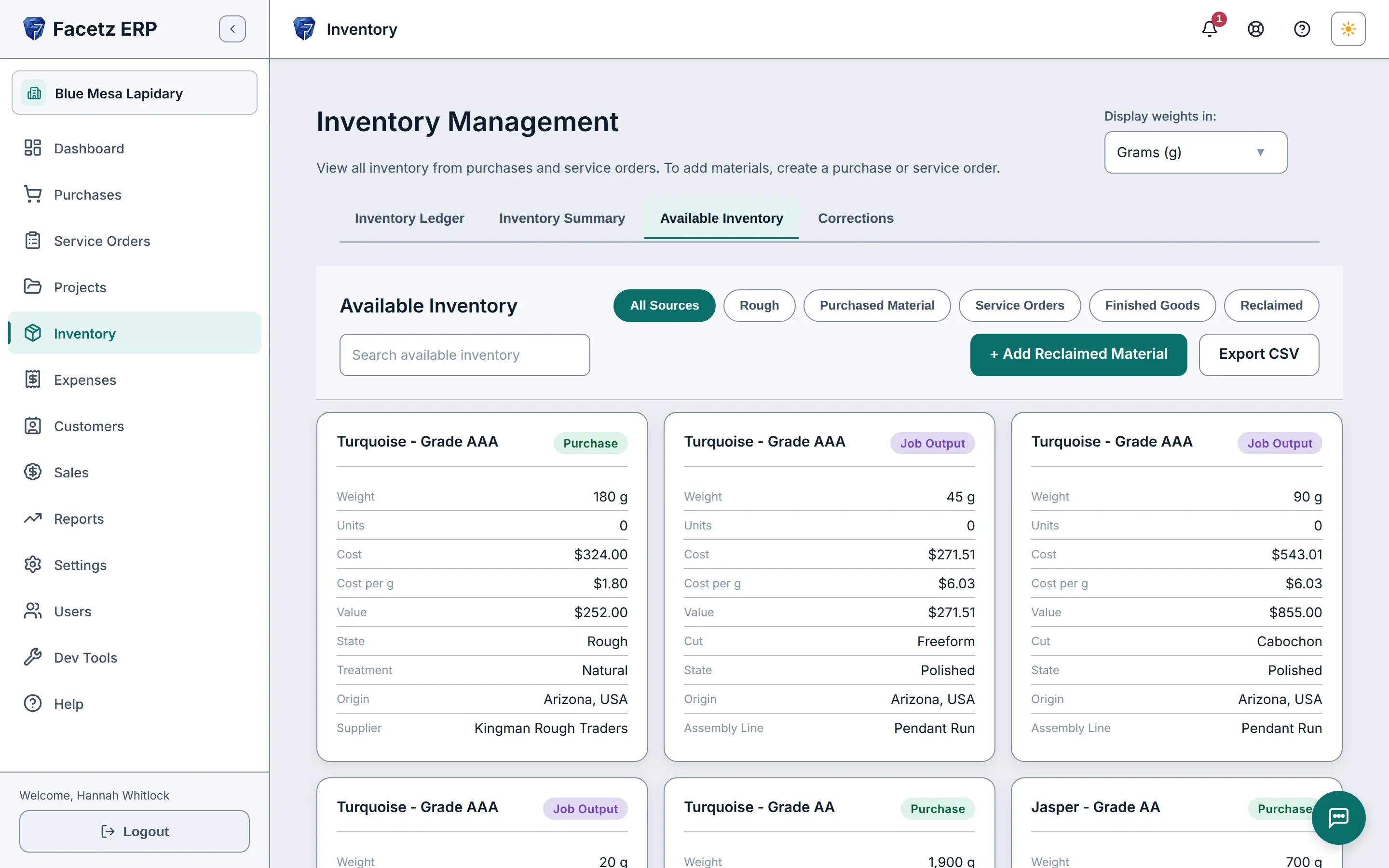
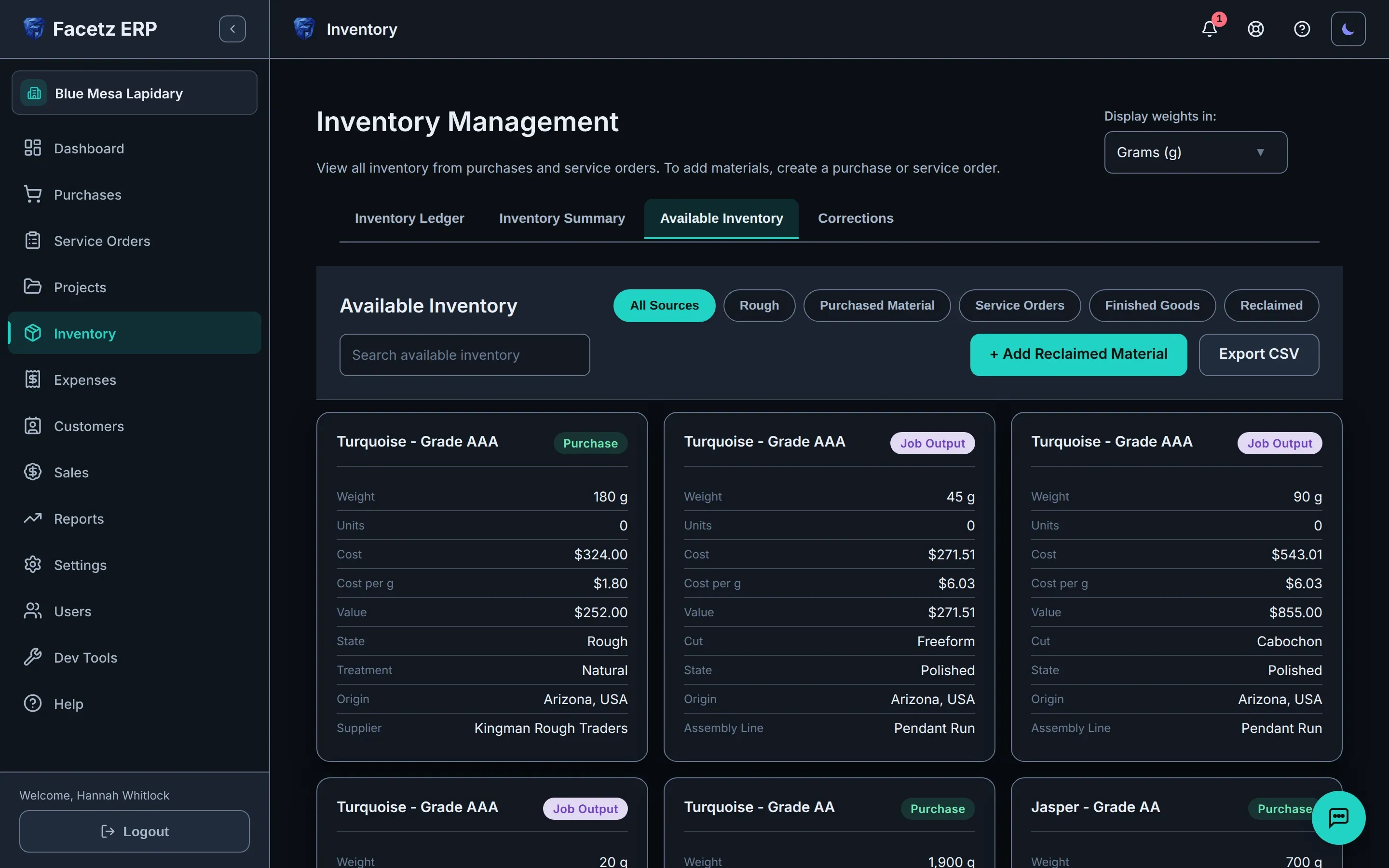
可用库存:采购的原料与工作产出并列显示,每张卡片标明重量、成本、市场价值和产地。可用库存:采购的原料与工作产出并列显示,每张卡片标明重量、成本、市场价值和产地。
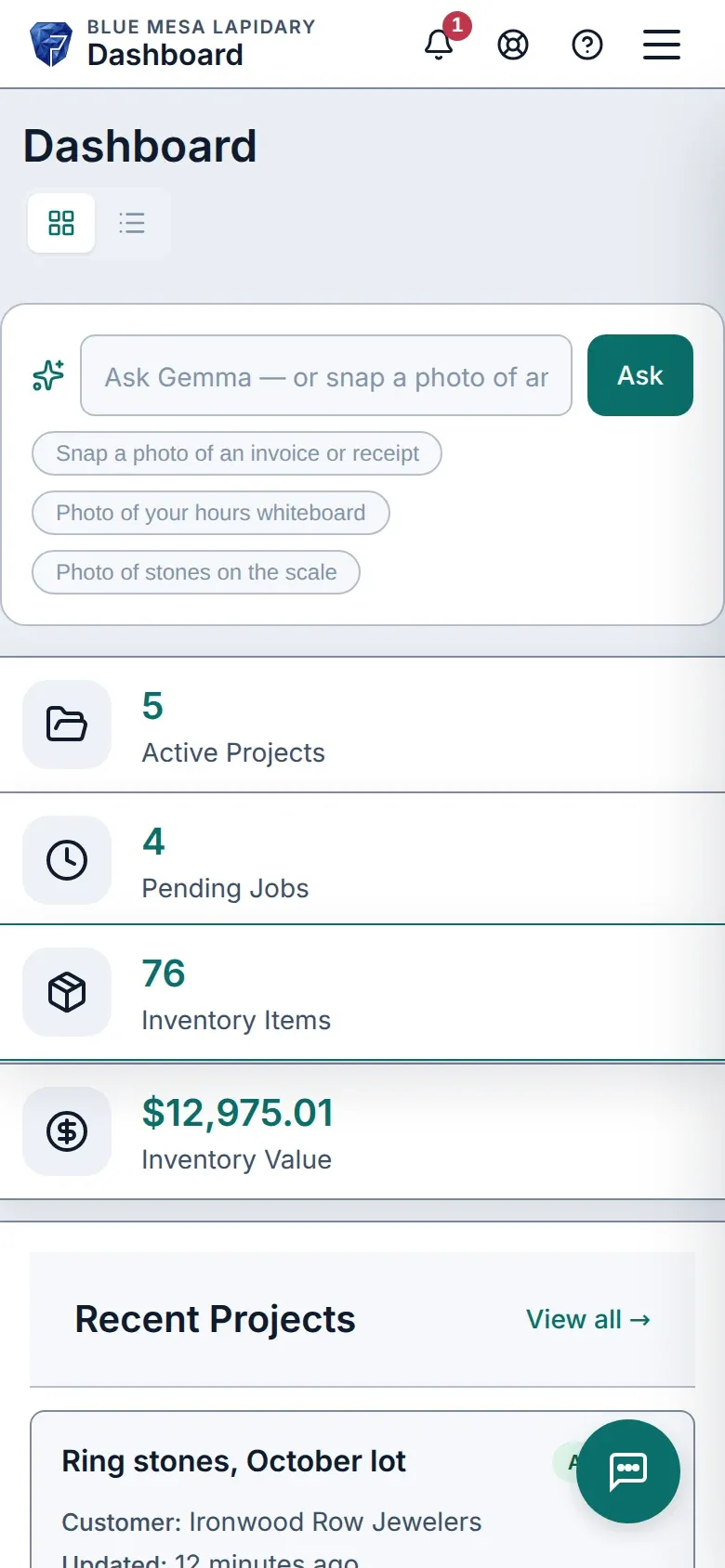
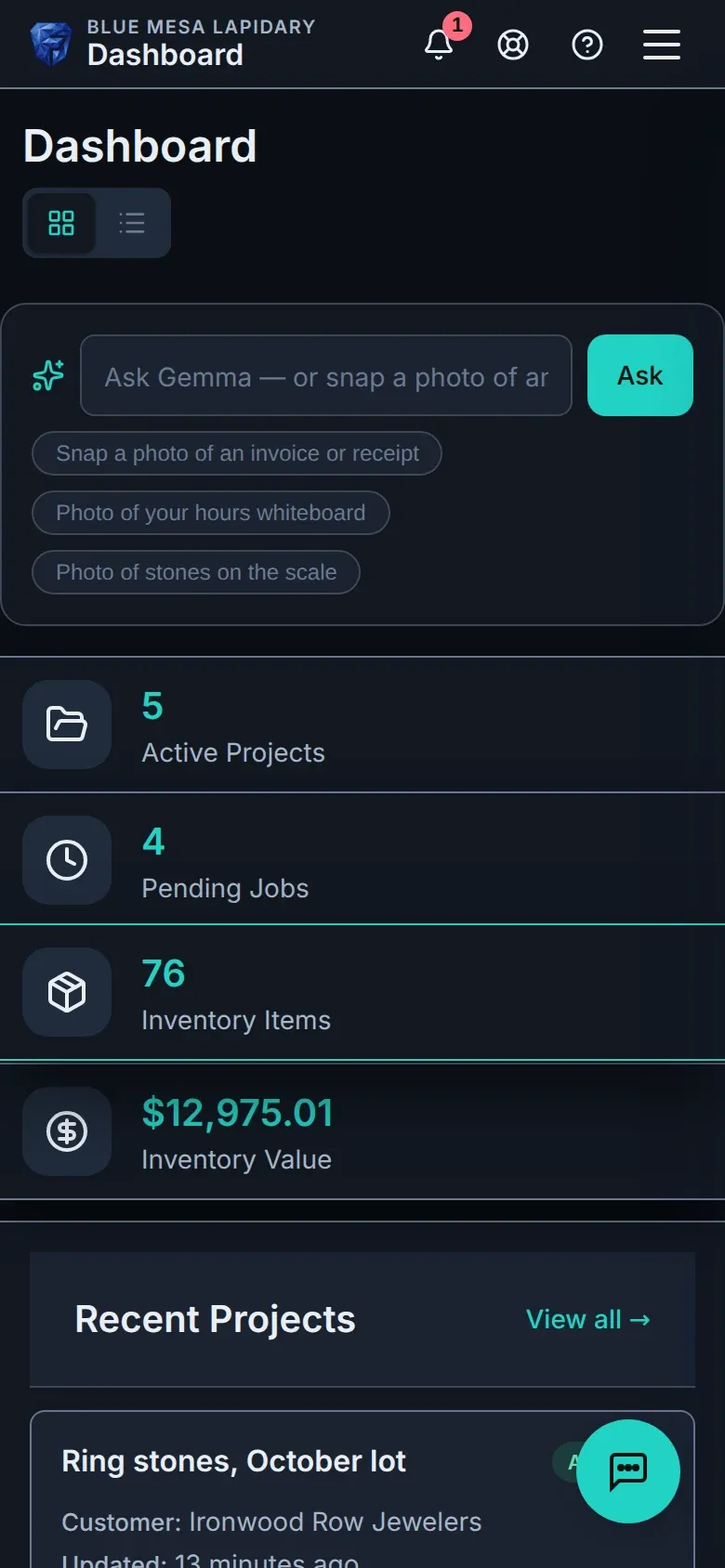
手机上的 Facetz 仪表盘。手机上的 Facetz 仪表盘。

是否似曾相识?

  • 成本散落在三张电子表格和一块白板上。

    一本台账,从原料到发票。

  • 您知道整批原料花了多少钱——却不知道每颗宝石的成本。

    每克成品成本:原料 + 人工 + 损耗。

  • 工时写在白板上,产出只记在某个人的脑子里。

    每位工人单独计时——或者拍下白板,由 Gemma 记录。

从原料到发票

  1. 采购

    一公斤绿松石,任何币种——从到货那天起,每一克都有记录。

    可用库存:采购的原料与工作产出并列显示,每张卡片标明重量、成本、市场价值和产地。可用库存:采购的原料与工作产出并列显示,每张卡片标明重量、成本、市场价值和产地。
  2. 切割

    看板上按阶段分配工作,每位切割师单独计时——也可以让班组在装配线上作业。
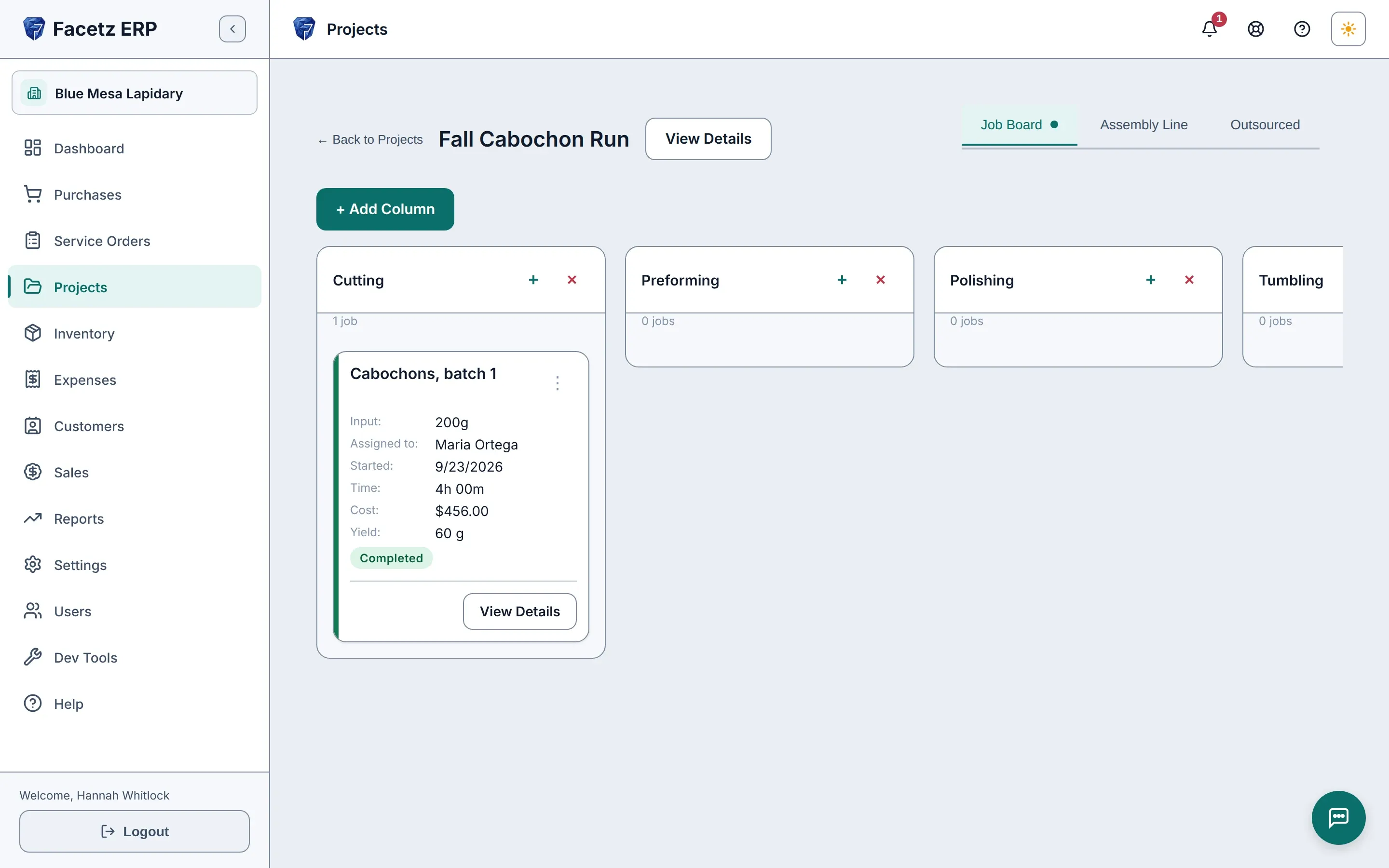
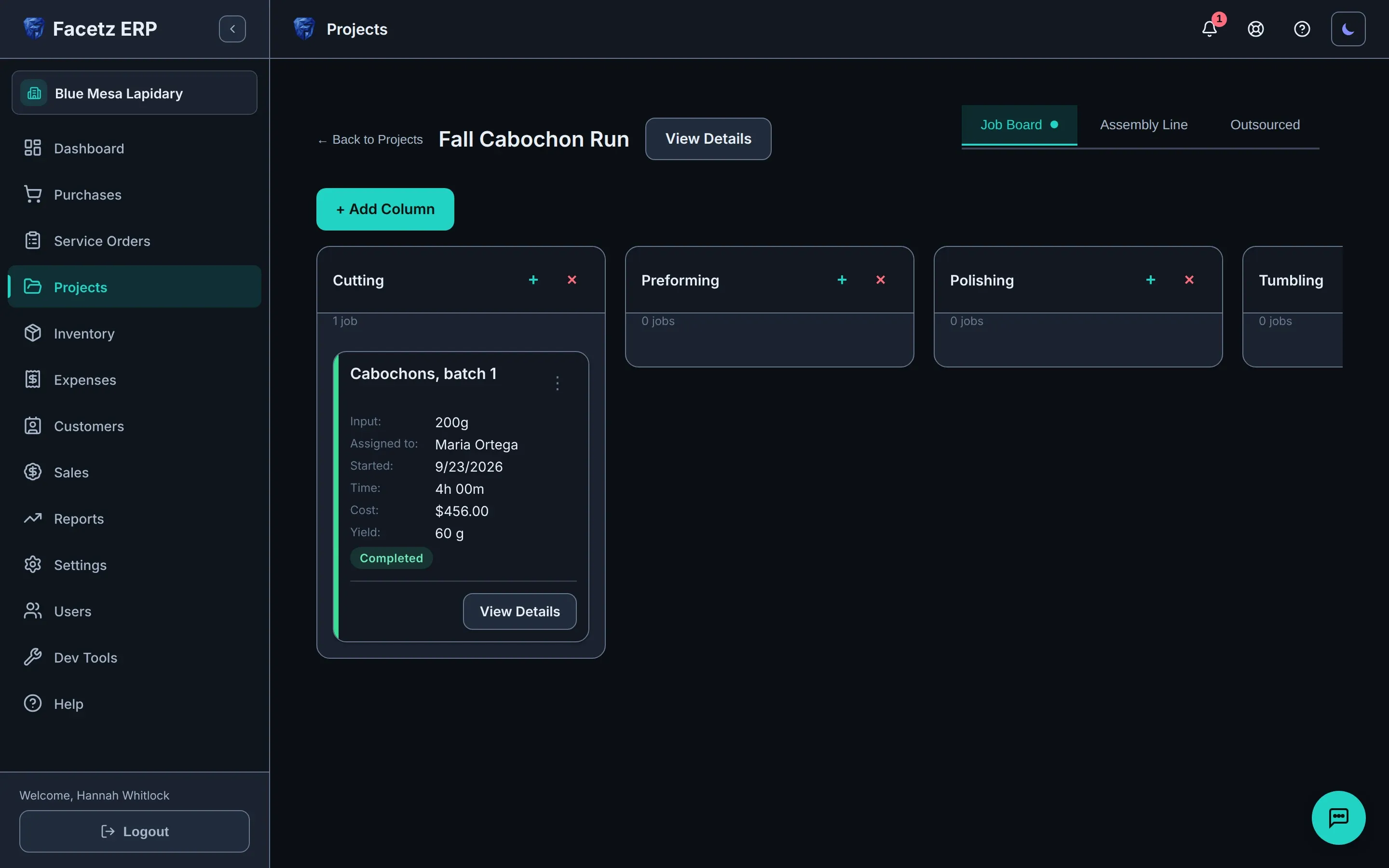
    项目的任务看板:每个阶段一列,任务卡片显示切割师、工时和产出。项目的任务看板:每个阶段一列,任务卡片显示切割师、工时和产出。
  3. 核算成本

    记录产出和废料;每颗成品宝石都按原料、人工和损耗核算成本。

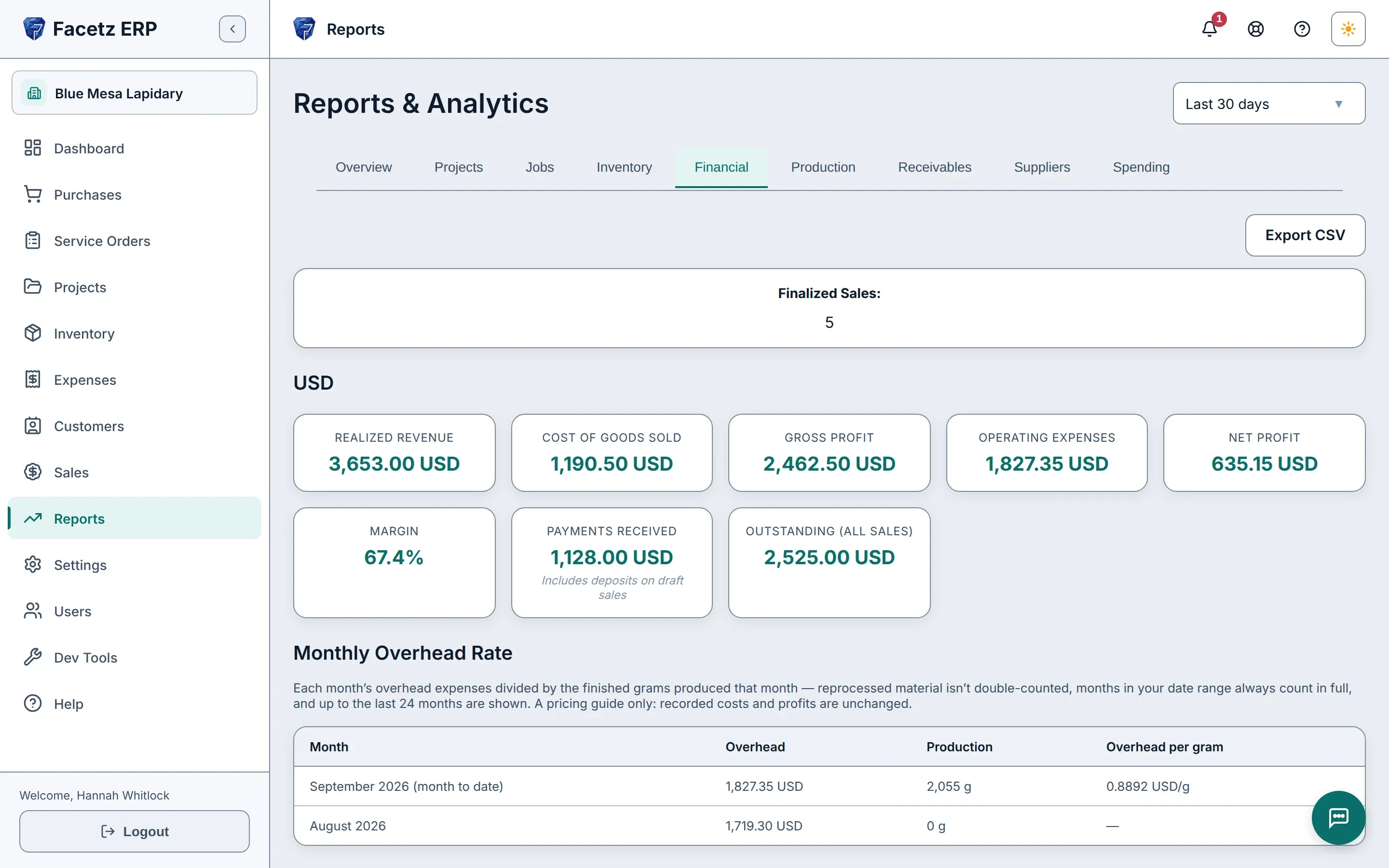
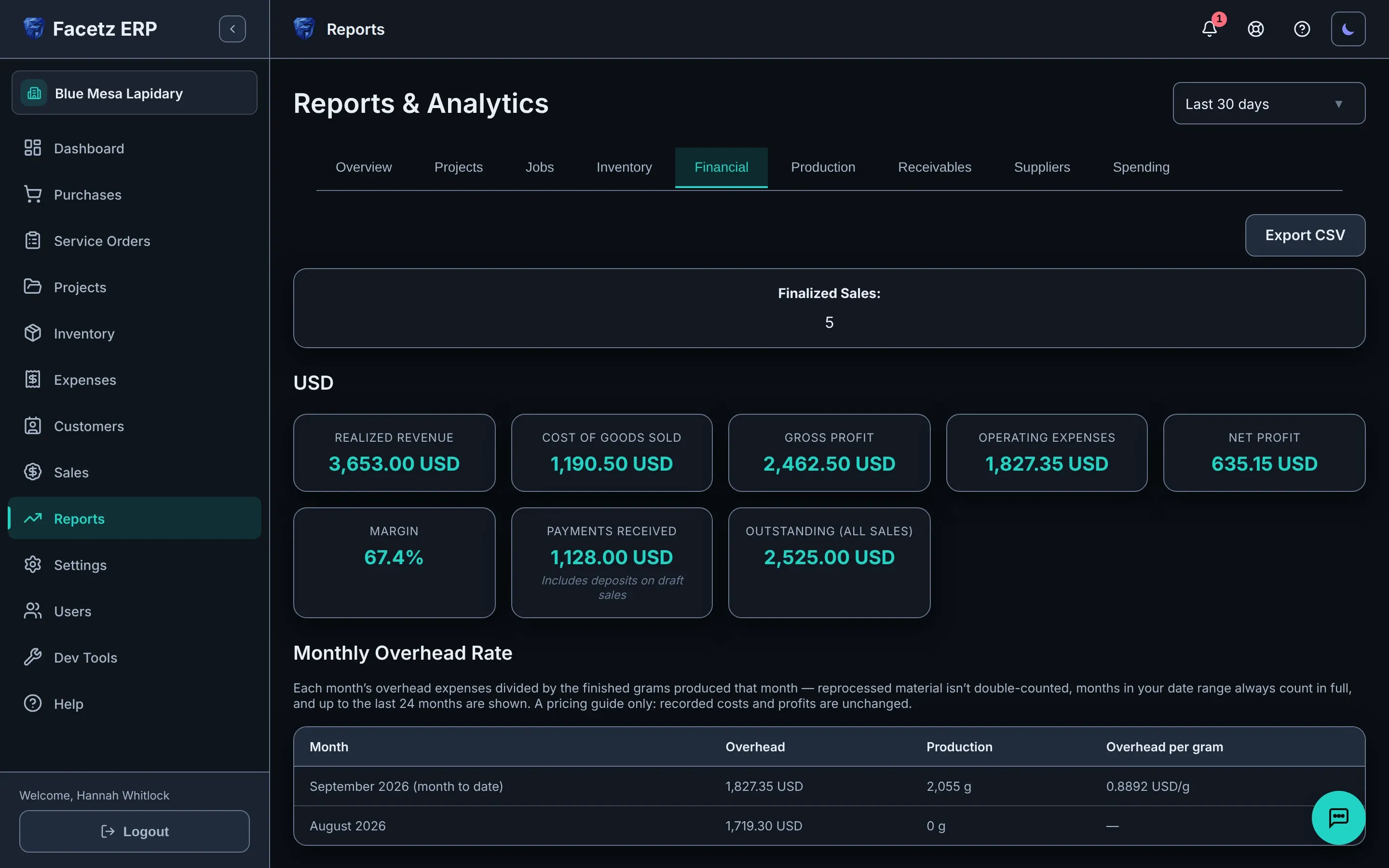
    财务报表:按币种显示收入、销售成本、毛利和净利。财务报表:按币种显示收入、销售成本、毛利和净利。
  4. 销售

    从真实库存开具发票,利润在确认的那一刻锁定。

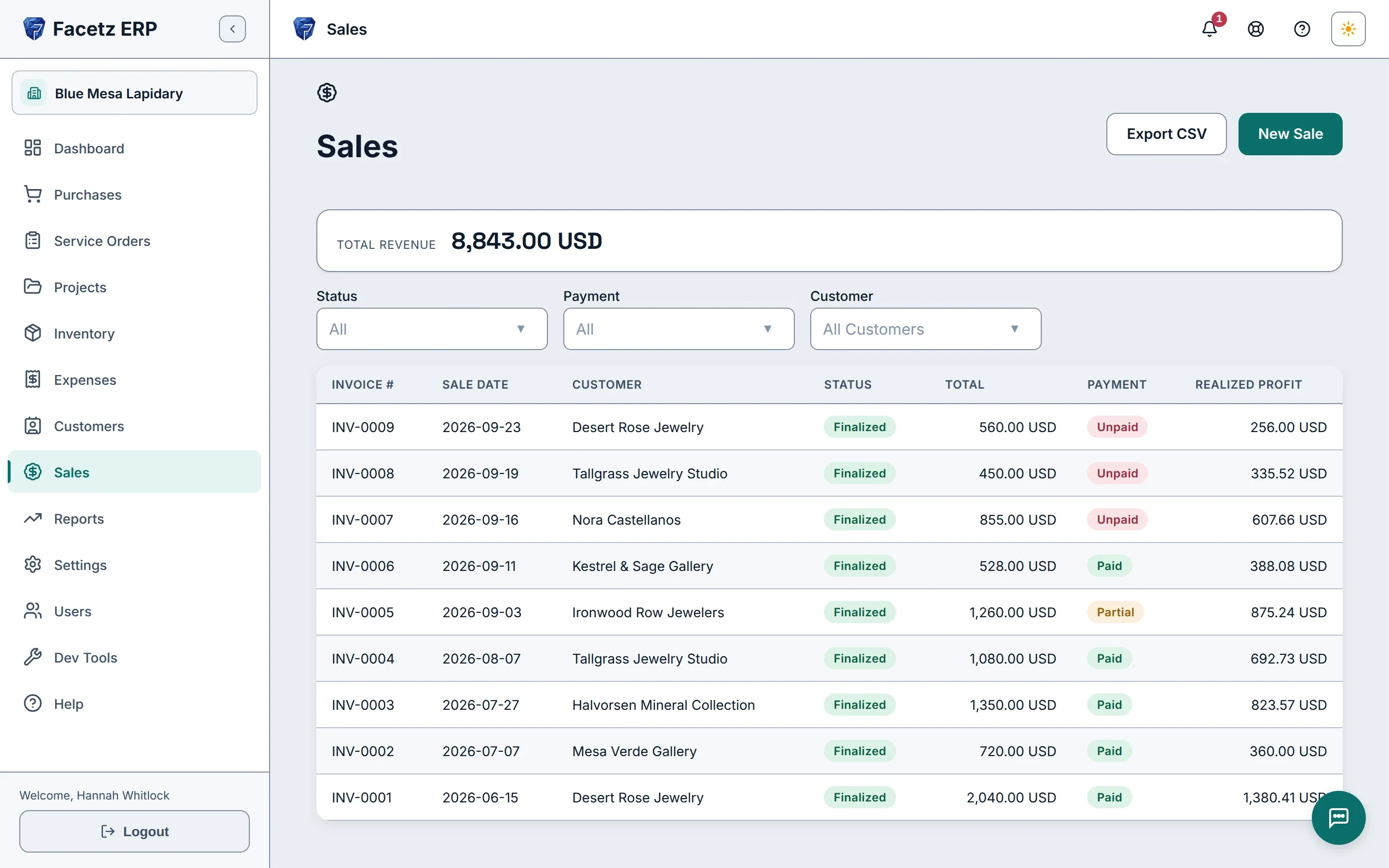
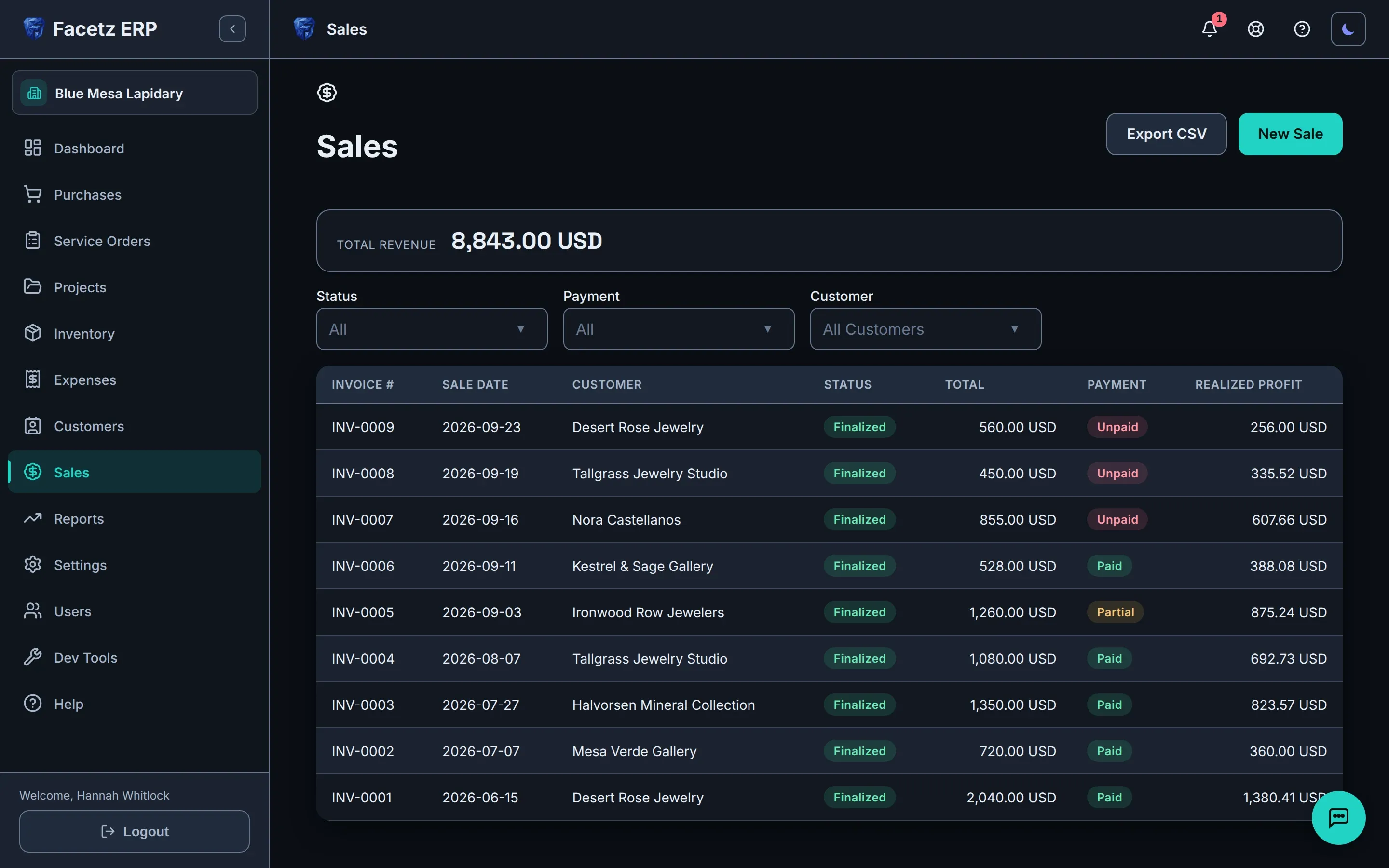
    销售列表:已确认的发票及其总额、付款状态和已实现利润。销售列表:已确认的发票及其总额、付款状态和已实现利润。

让 Gemma 替您录入

内置助手能读懂您给它看的内容,并草拟好记录——在您确认之前,什么都不会改变。
  • 拍下工时白板——每一行都会记录下来。
  • 秤上的宝石——重量会草拟到对应的工作上。
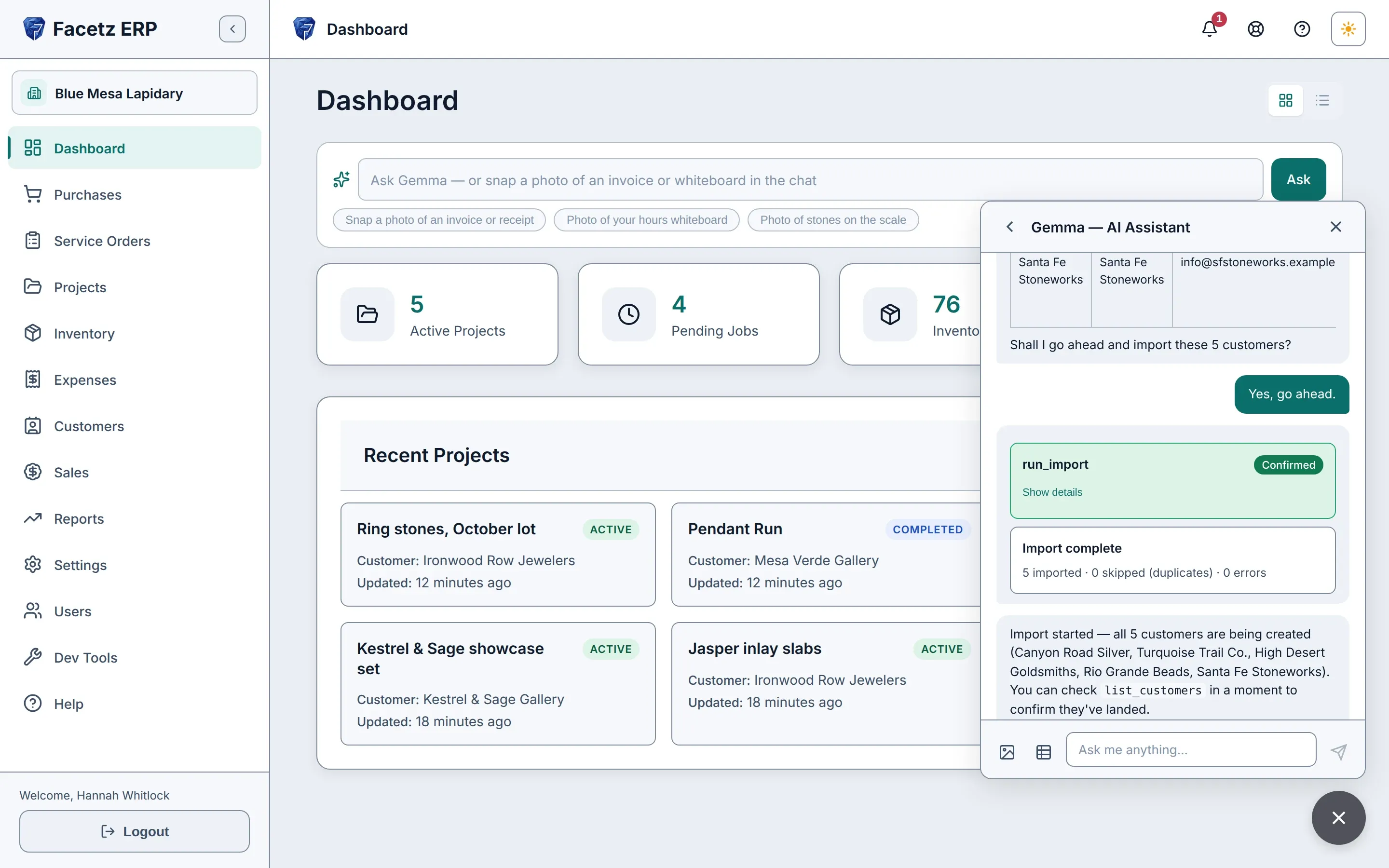
  • 把电子表格交给它——Excel、CSV 或 Google Sheets——它会导入您的数据。
  • 询问库存和资金情况,答案来自您自己的记录。
  • 每个操作都会显示在一张确认卡片上。没有您的同意,什么都不会改变。
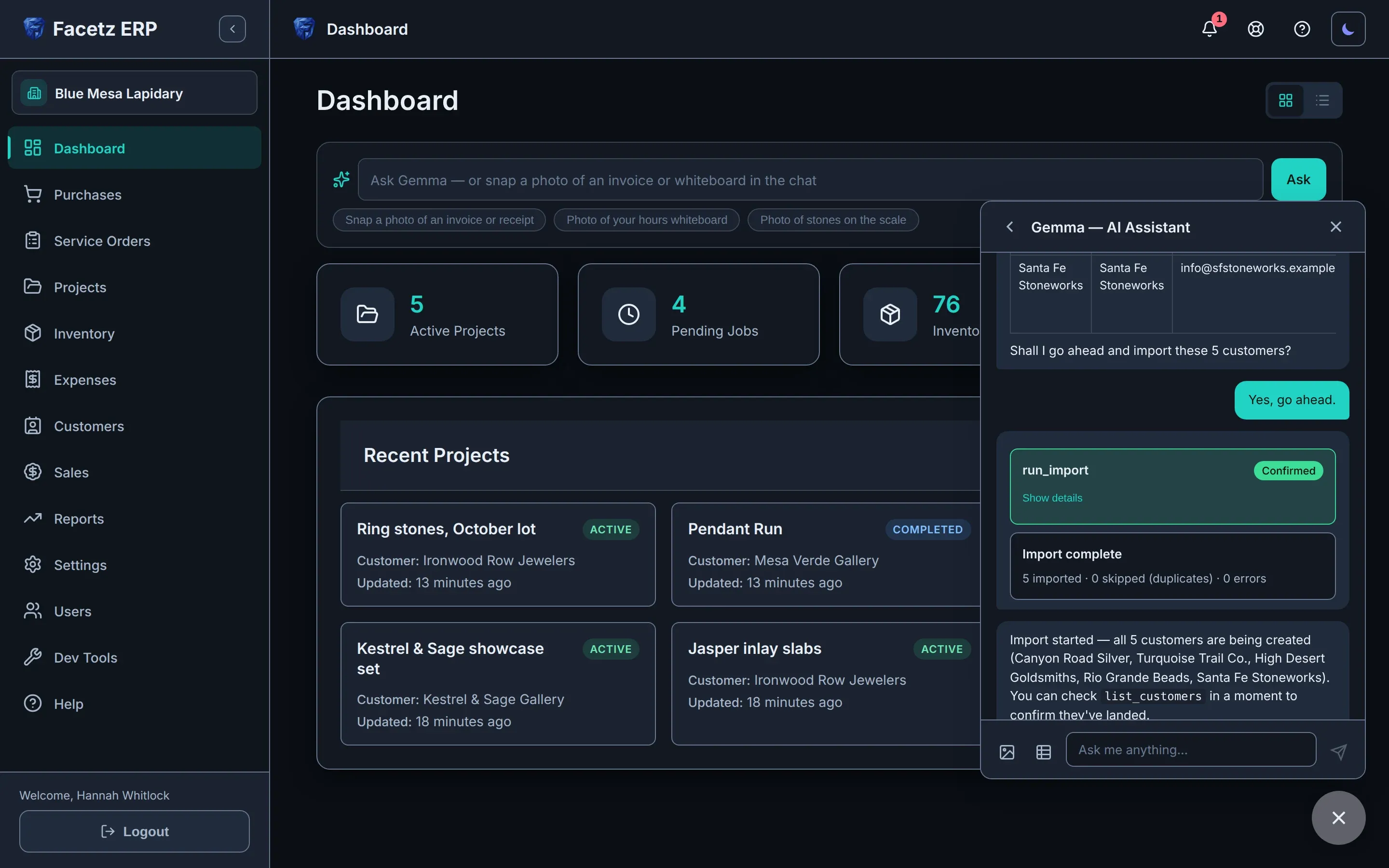
内置助手 Gemma 正在聊天面板中导入客户电子表格。内置助手 Gemma 正在聊天面板中导入客户电子表格。

看看实际效果

只需几分钟,走完从原料到发票的全过程:采购、切割、核算成本、销售——然后让内置助手 Gemma 替您记录下一单。

视频语言
播放速度
文字稿
  1. Facetz. Know what every stone really cost.
  2. This is Blue Mesa Lapidary. We'll start in Settings.
  3. Facetz works the way your shop does: your phases, materials, cuts and grades, named your way.
  4. Need a tumbling step? Add the phase, name it, save.
  5. And it's ready on every job board and assembly line.
  6. Now, buy some rough. A new purchase: Arizona turquoise, from Sleeping Beauty Mine.
  7. It's rough, grade triple-A. Five hundred grams, for nine hundred dollars.
  8. Save it, and every gram is tracked from the day it arrives.
  9. The card always shows what's left.
  10. Next, a project: the Fall Cabochon Run. It takes two hundred grams of that turquoise, and the other three hundred stay in stock.
  11. Every project, at a glance. Let's open its job board.
  12. A column for every phase, tumbling included. Add a job in cutting, and assign it to Maria.
  13. She'll cut two hundred grams.
  14. Maria starts the job, then her own timer: one tap to start, one to stop.
  15. Hours on the whiteboard? Enter them as written: yesterday, eight to noon.
  16. Four hours, logged.
  17. When the job's done, record what came out: sixty grams of polished cabochons, and a hundred and ten grams of waste.
  18. Open the details: seven dollars sixty a gram. That's Maria's hours at her rate, plus the stone at what you paid.
  19. For a bigger run, start another project: the Pendant Run, three hundred grams, and flip one switch to make it an assembly line through every phase.
  20. Now add the crew. Maria, then Daniel, each at their own pay rate.
  21. Each of them gets a timer for every phase.
  22. Maria taps start on cutting, and the clock runs until she taps stop.
  23. Daniel's hours are on the whiteboard, so just photograph it, and hand it to Gemma.
  24. Gemma reads the board: every name, phase, start and finish, and checks it against the line.
  25. She shows what she'll log, and asks first.
  26. Each entry arrives as a confirmation card. Nothing changes until you confirm.
  27. Confirm all, and the hours are on the line.
  28. Daniel's cutting and polishing, Maria's preforming. Gemma logs all three, then checks her work against the line.
  29. Back on the line, labor and cost add up per phase, live.
  30. When the run's done, complete it.
  31. Log each product as its own yield: ninety grams of cabochons, forty-five of freeforms, a hundred and twenty grams of waste, and there's your yield, forty-five percent, before you confirm.
  32. The line's card keeps it all: output, hours, cost and yield.
  33. What about the costs that aren't stone or labor?
  34. Log any expense, any time. Say, resurfacing the diamond wheel: forty-five dollars, linked to the Pendant Run.
  35. Capitalize it, and it follows the stones into their cost and inventory value.
  36. Marked as capitalized. Now, open that project's cost report.
  37. One page per project: material, labor, and that expense, six dollars and three cents a gram, all in, and the yield for each material.
  38. In inventory, finished goods are one click from the rough: at true cost, valued at market.
  39. Search to find any stone.
  40. The summary splits stone from work, with lifetime yield for each material.
  41. Time to sell. Desert Rose Jewelry wants forty grams of those cabochons, at fourteen dollars a gram.
  42. Save, finalize, and the cost basis is frozen on the invoice.
  43. Two hundred fifty-six dollars of real profit. Not an estimate.
  44. If goods come back, void the invoice, and the stones go back into stock.
  45. Reports are always ready: revenue, cost of goods, margin, net.
  46. Production shows yield, value added, and each cutter's output.
  47. And every table exports to Excel.
  48. Or skip the forms, and just show Gemma, the built-in assistant.
  49. Snap the supplier's invoice, attach it, and ask Gemma to log it as a purchase.
  50. She reads the supplier, the stone, the weight and the price, and matches them to your records.
  51. Then she drafts the purchase, and asks before saving.
  52. Go ahead, and there's the card to confirm.
  53. Confirm, and it's a real purchase: three hundred grams of triple-A turquoise, five hundred forty dollars, from Kingman Rough Traders.
  54. The same record you'd have typed by hand, from one photo.
  55. There it is, every gram available.
  56. Moving from a spreadsheet? Drop it in the chat, and ask Gemma to import your customers.
  57. She maps the columns: name, company, email, phone, and checks every row: five valid, no errors, no duplicates. Tell her to go ahead.
  58. The import waits on its card until you confirm.
  59. All five are imported in one go, and Gemma sums up exactly what she did.
  60. No retyping. No copy and paste.
  61. And there they are: five new customers, ready to sell to.
  62. Know what every stone really cost. Start your free trial today at facetz.app.

贴合您的工作方式

店主亲自经营的工坊

  • 简单模式:一份精简的任务菜单,Gemma 就在最显眼的位置。
  • 手机上能用,工作台旁也能用,必要时还能离线。
  • 您切割的每颗宝石的真实成本。
  • 从真实库存开具简洁、可直接打印的发票。

生产线

  • 贯穿每个阶段的装配线,每个班组按各自的薪资费率计酬。
  • 按日、按周或按月发放的工资,分摊到它所投入的工作上。
  • 按合并投入的材料计算产出率。
  • 外包任务:将材料送出加工,记录归还的产出和付款。
  • 支持任何币种,报表从不混合。
  • 工人看不到薪资费率。

诞生于真实的工坊

Facetz 诞生于 Nino 的切割台。电子表格无法跟踪一公斤绿松石走完切割、成形和抛光的全过程,于是我们打造了能做到的系统——并用它经营工坊。

我们切割绿松石、蛋白石和青金石。我一直知道一批原料花了我多少钱——却从不知道一颗成品凸圆宝石的成本。现在,每颗宝石都按它的真实成本定价:原料、人工和损耗。

Nino,联合创始人 · Nino’s
  • 数据完全属于您——随时导出全部数据。
  • 如果付费中断,您的工作区会变为只读状态。不会删除任何数据。
  • 每家公司的数据都相互隔离,每一次查询都是如此。
  • 在工作台也能离线使用。
  • 11 种语言,含用户手册。

一份适合您整个店铺的方案

US$59/月

  • 含 1 名所有者、1 名经理、1 名工人
  • 每增加一名用户 +US$12/月,任意角色
  • Gemma AI——已包含 Starter 额度
查看价格

看看每颗石头的真实成本

用您真正的团队和真正的石头开始——免费 14 天。

开始免费试用

有疑问? hello@facetz.app · 联系我们