了解每顆寶石的真實成本。

Facetz 由採購到銷售全程追蹤你的原石——每一克、每一小時、每一點損耗——讓你看清每顆成品寶石的真實成本,以及你實際賺了多少。專為切割工場及生產線而設。

免費試用 觀看 6 分鐘示範

14 天免費試用 · 無需信用卡 · 11 種語言

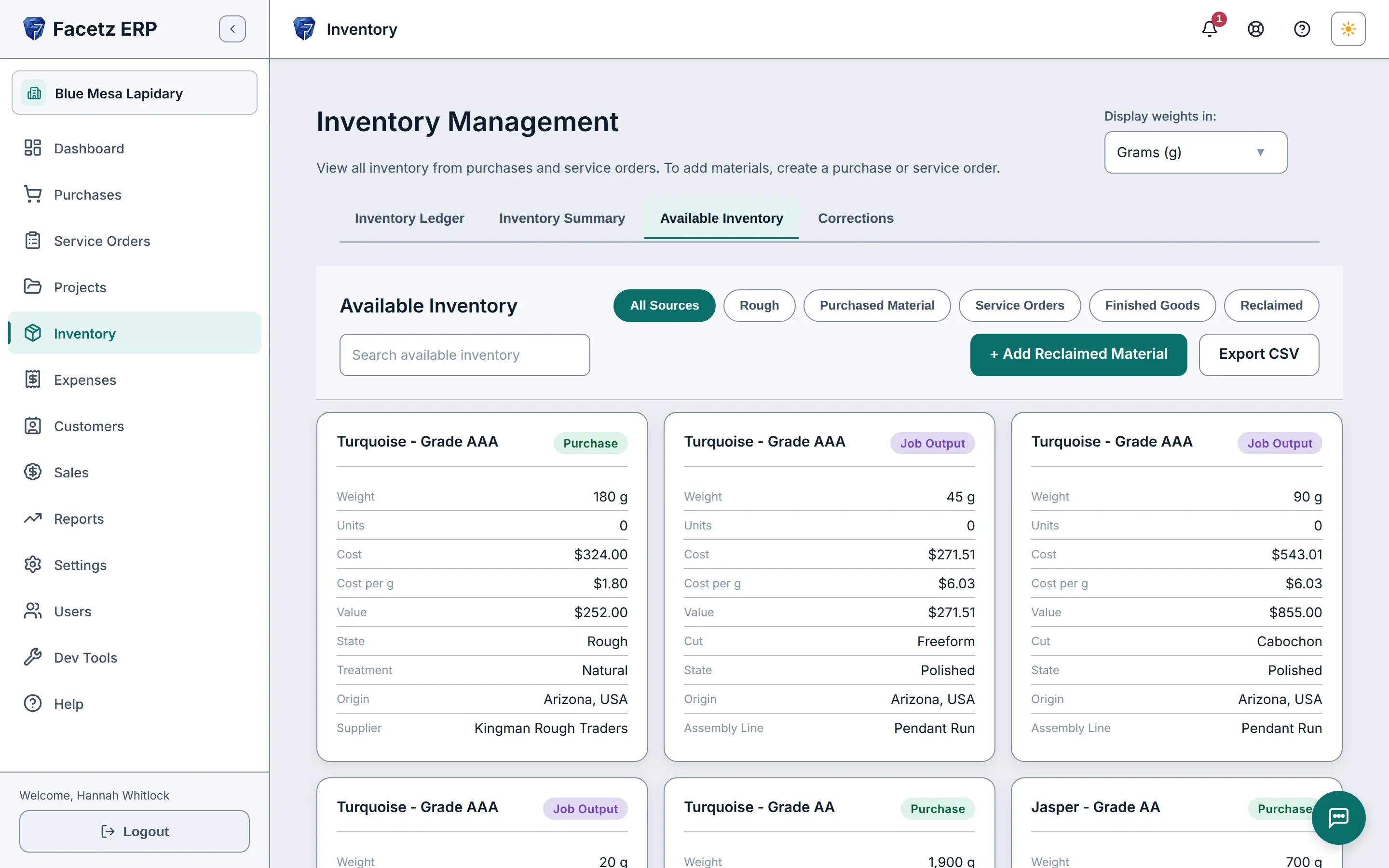
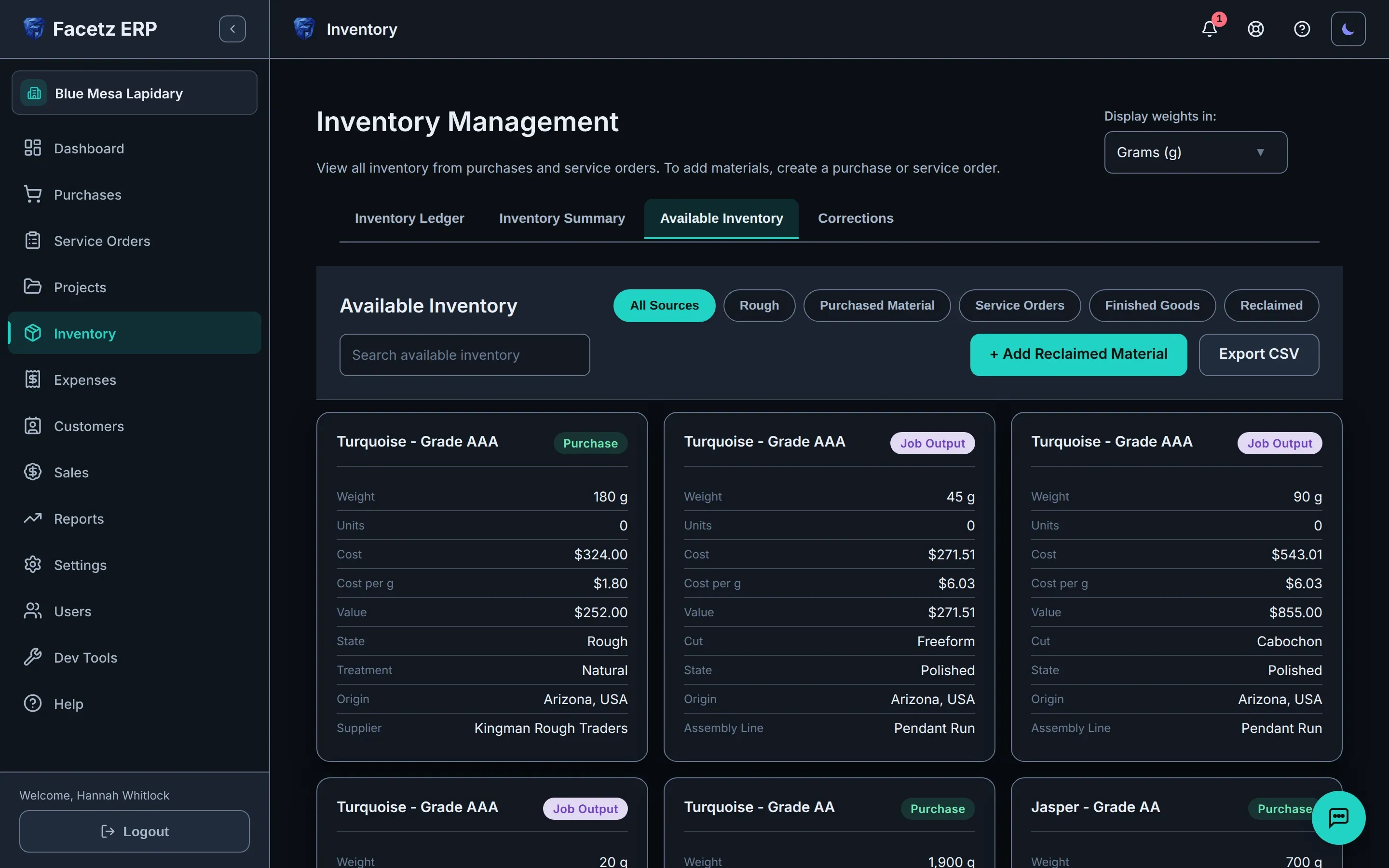
可用庫存:採購的原料與工作產出並列顯示,每張卡片標明重量、成本、市場價值和產地。可用庫存:採購的原料與工作產出並列顯示,每張卡片標明重量、成本、市場價值和產地。
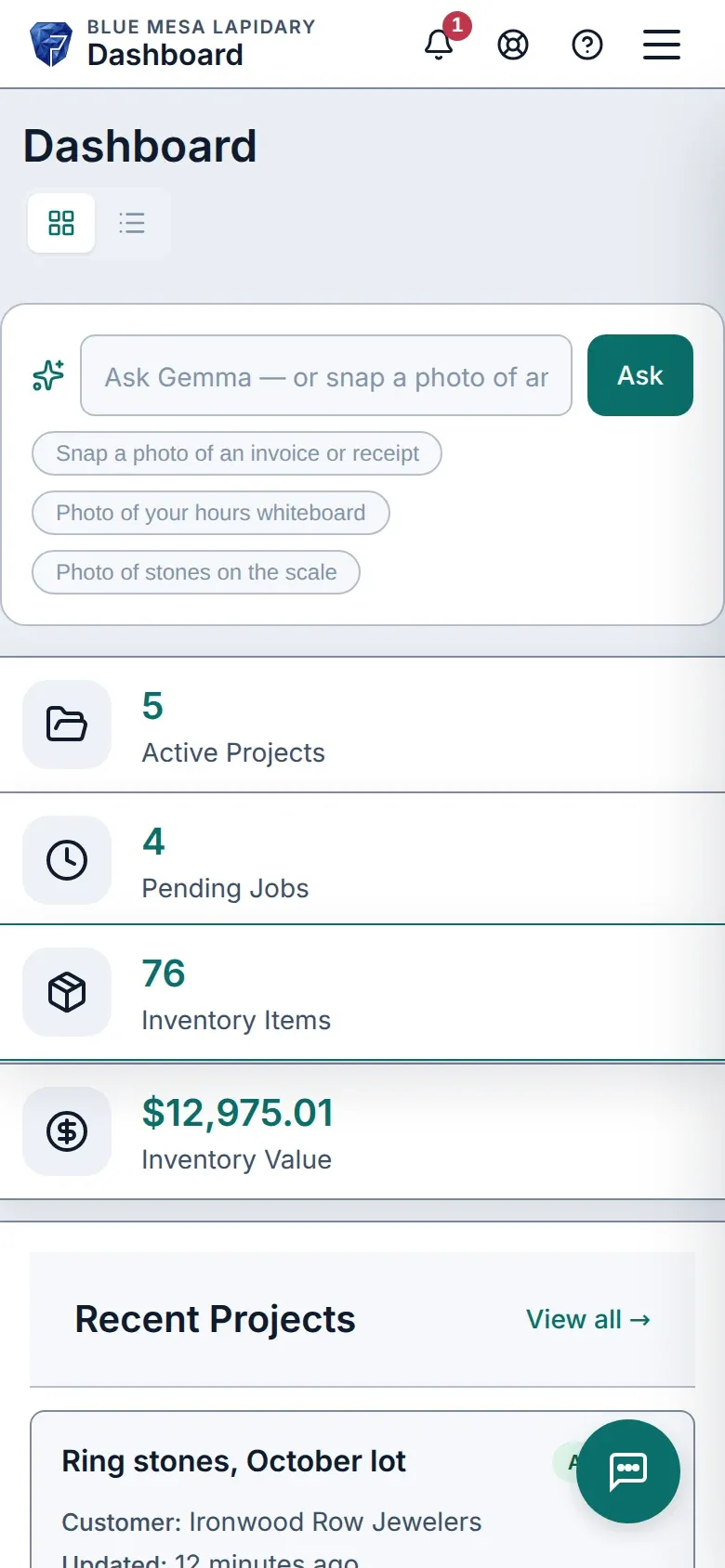
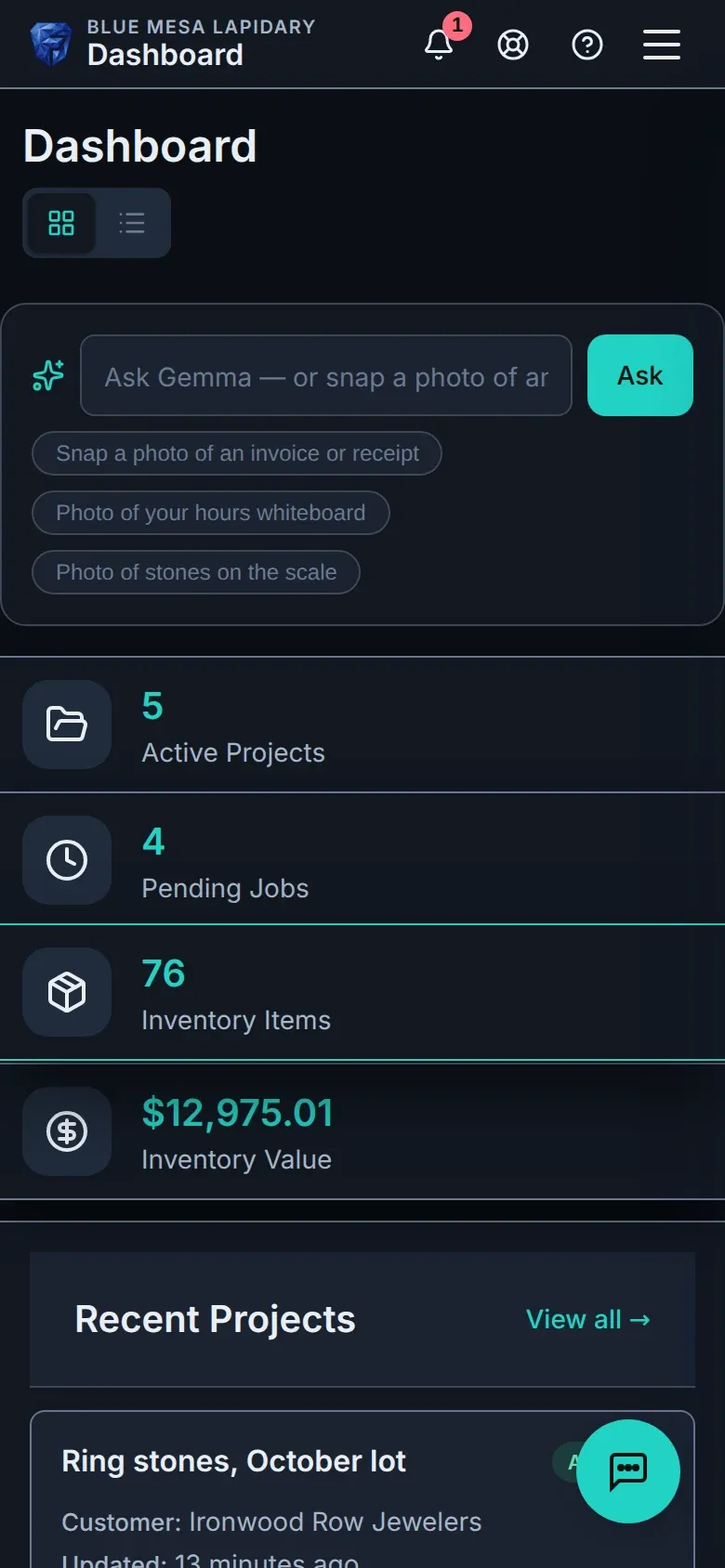
手機上的 Facetz 儀表板。手機上的 Facetz 儀表板。

是否似曾相識?

  • 成本散落在三份試算表和一塊白板上。

    一本分類帳,由原石到發票。

  • 你知道整批原石花了多少錢——卻不知道每顆寶石的成本。

    每克成品成本:原石 + 人工 + 損耗。

  • 工時寫在白板上,產出只記在某人腦中。

    每位工人各自計時——或拍下白板,由 Gemma 記錄。

由原石到發票

  1. 採購

    一公斤綠松石,任何貨幣——由到貨那天起,每一克都有記錄。

    可用庫存:採購的原料與工作產出並列顯示,每張卡片標明重量、成本、市場價值和產地。可用庫存:採購的原料與工作產出並列顯示,每張卡片標明重量、成本、市場價值和產地。
  2. 切割

    看板上按階段分配工作,每位切割師各自計時——亦可讓一組工人在裝配線上作業。
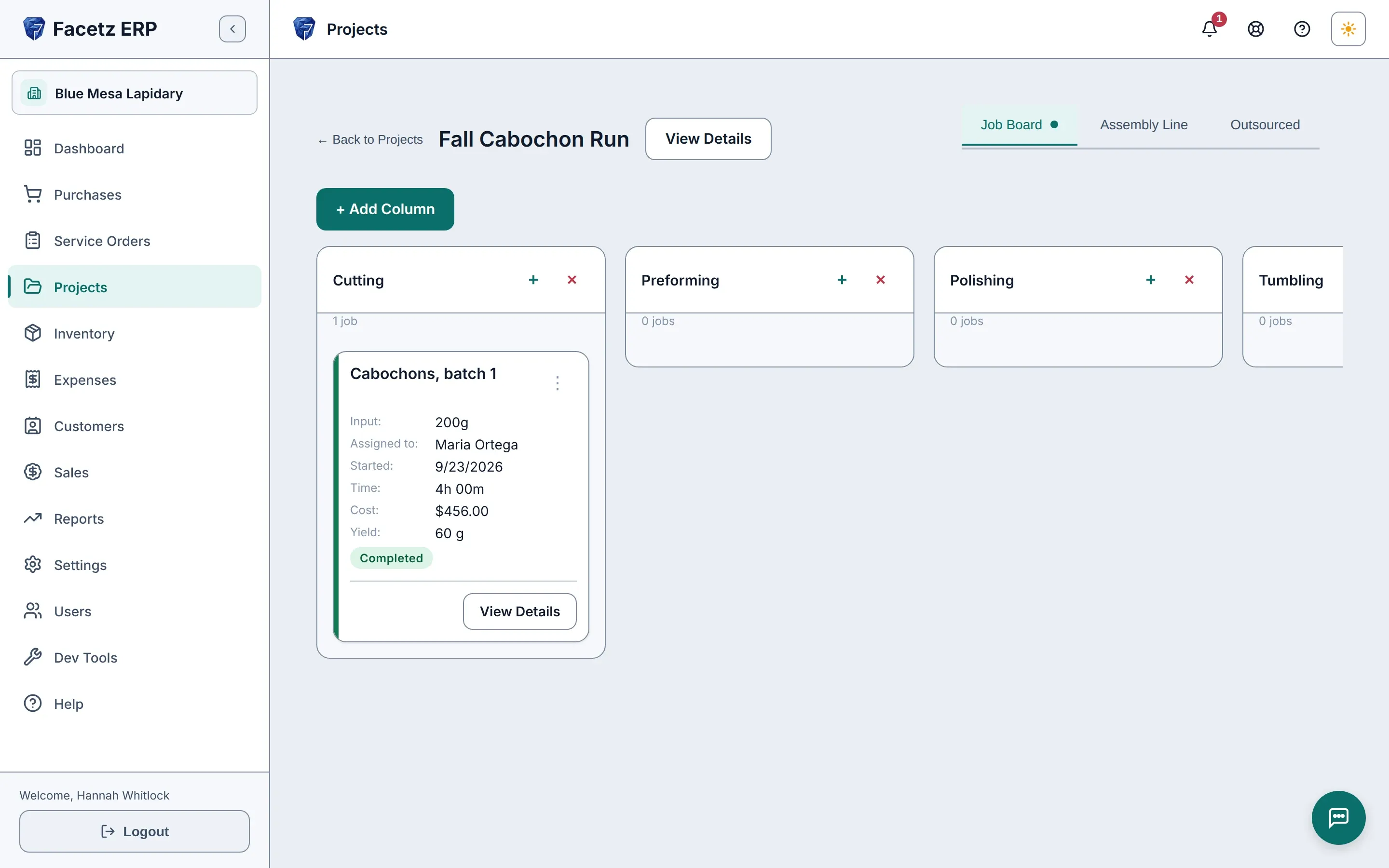
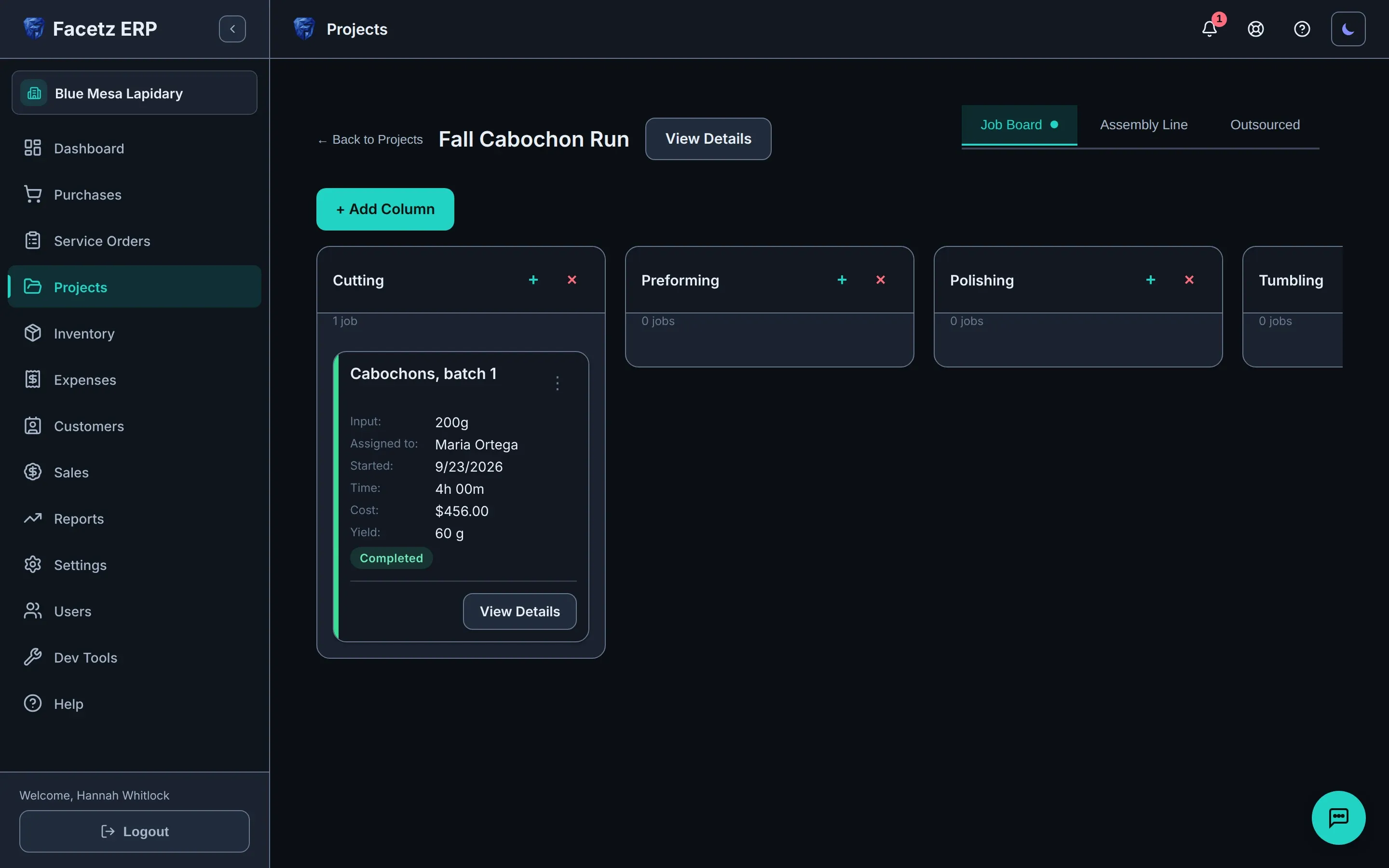
    項目的工作看板:每個階段一欄,工作卡片顯示切割師、工時和產出。項目的工作看板:每個階段一欄,工作卡片顯示切割師、工時和產出。
  3. 計算成本

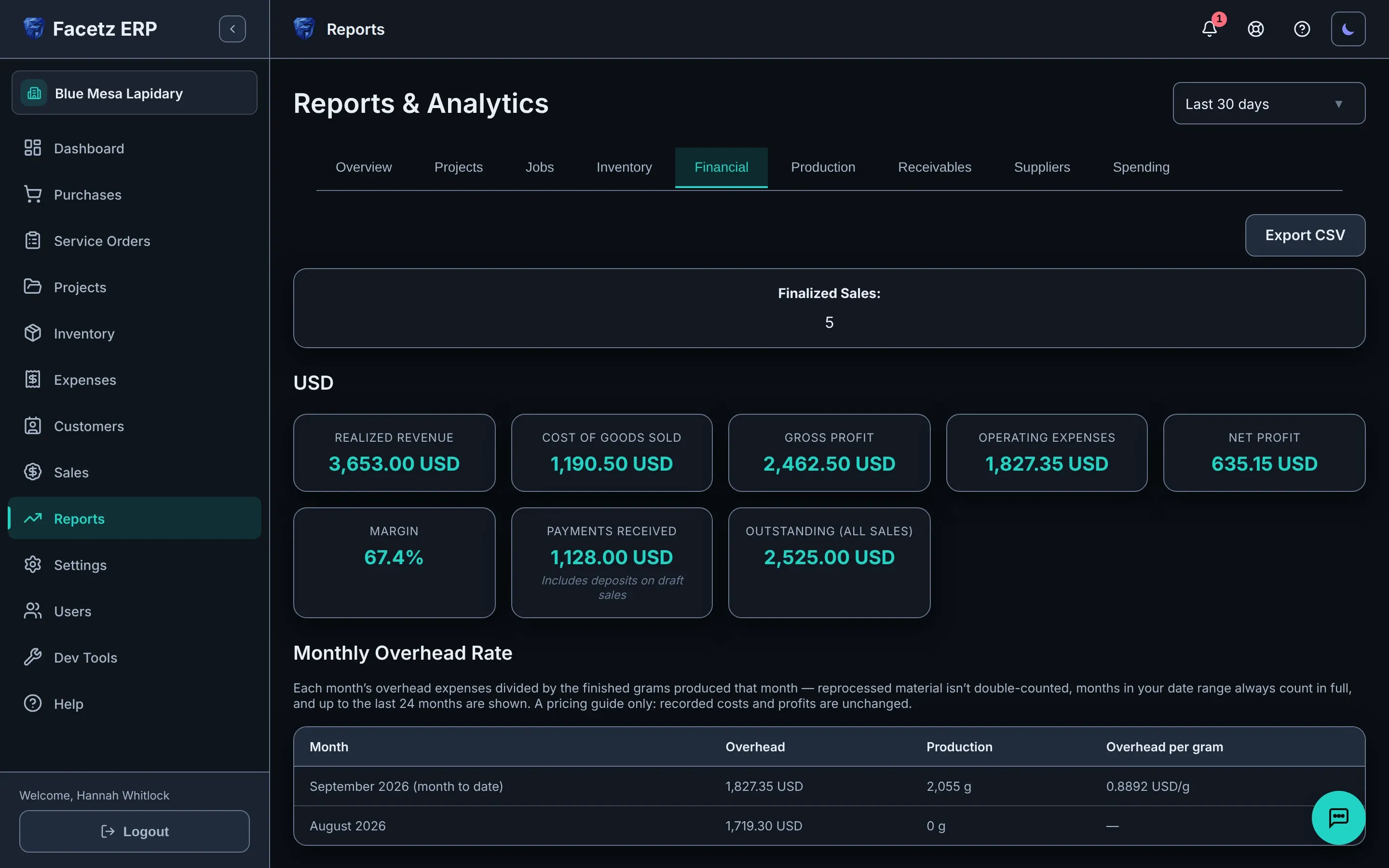
    記錄產出及廢料;每顆成品寶石都按原石、人工及損耗計算成本。

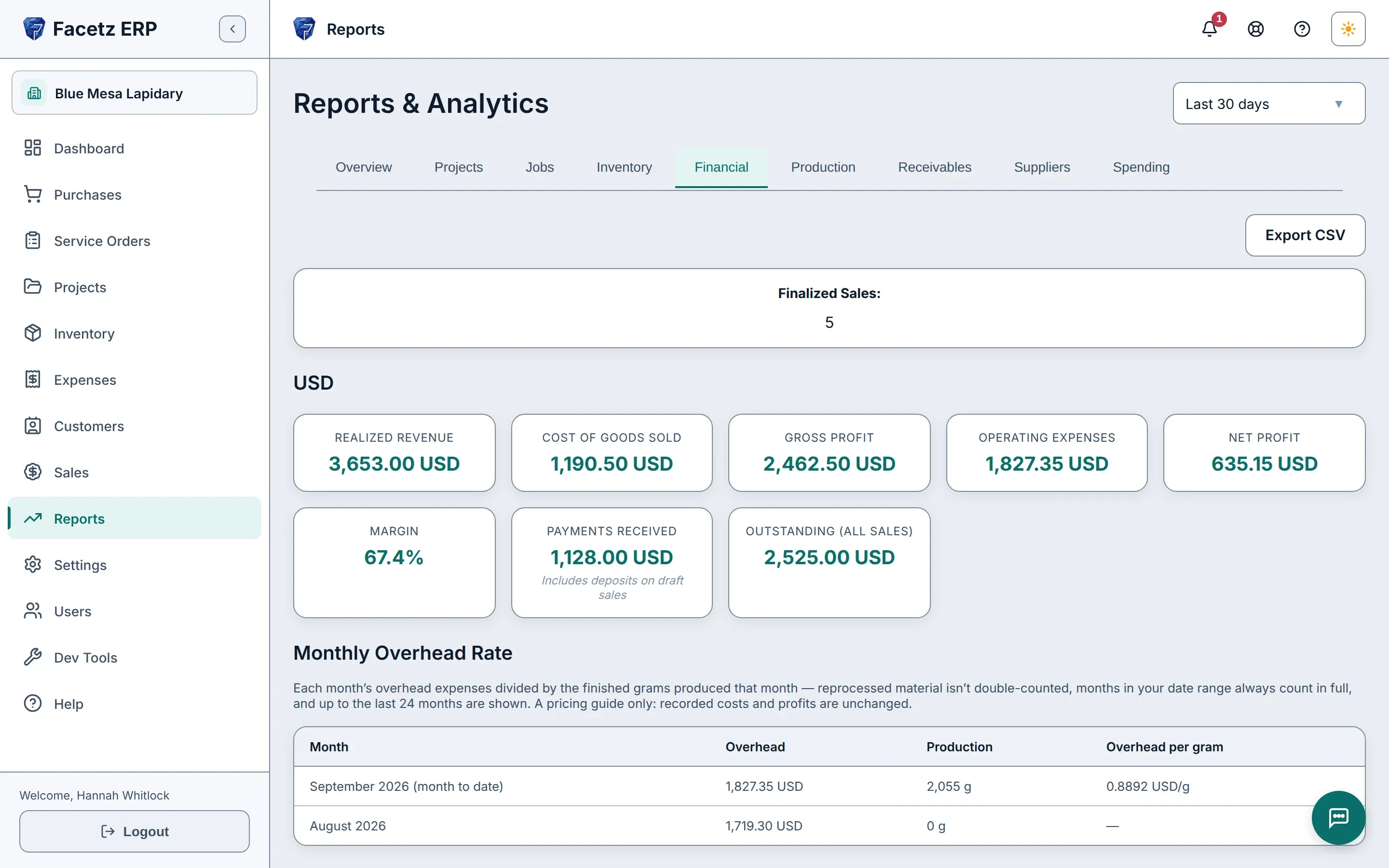
    財務報表:按貨幣顯示收入、銷售成本、毛利和淨利。財務報表:按貨幣顯示收入、銷售成本、毛利和淨利。
  4. 銷售

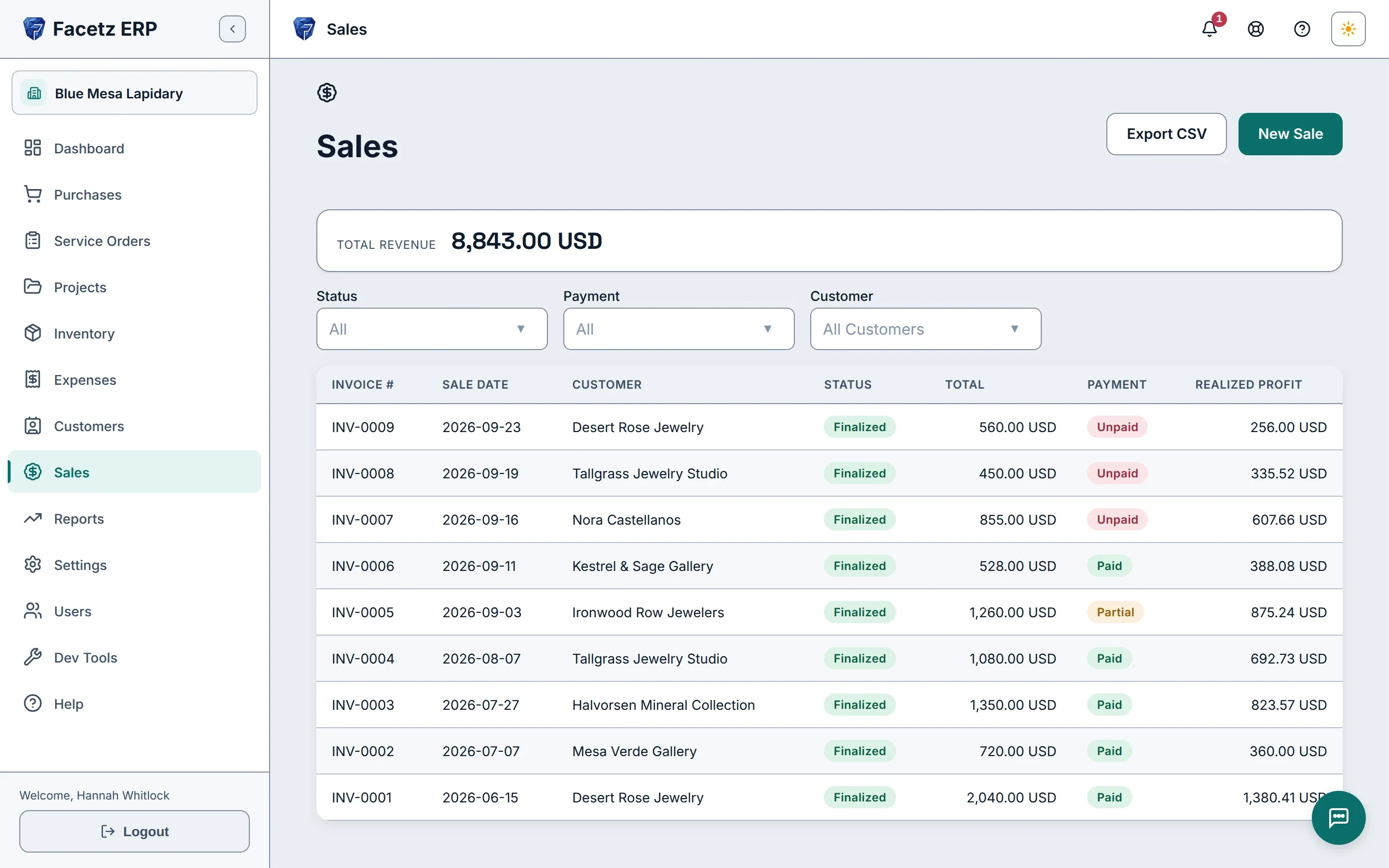
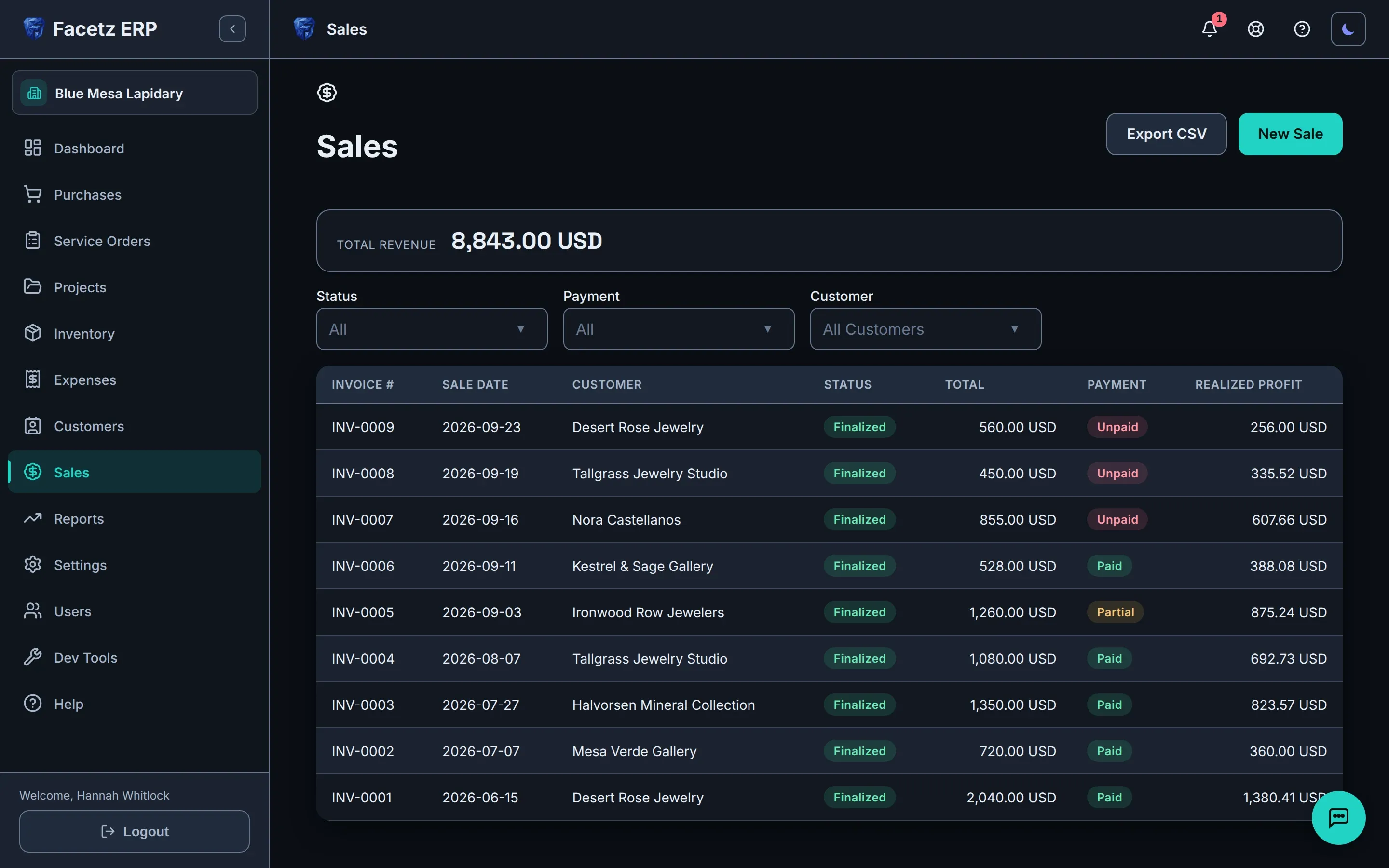
    由真實存貨開立發票,利潤在確認一刻即鎖定。

    銷售清單:已確認的發票及其總額、付款狀態和已實現利潤。銷售清單:已確認的發票及其總額、付款狀態和已實現利潤。

讓 Gemma 替你輸入

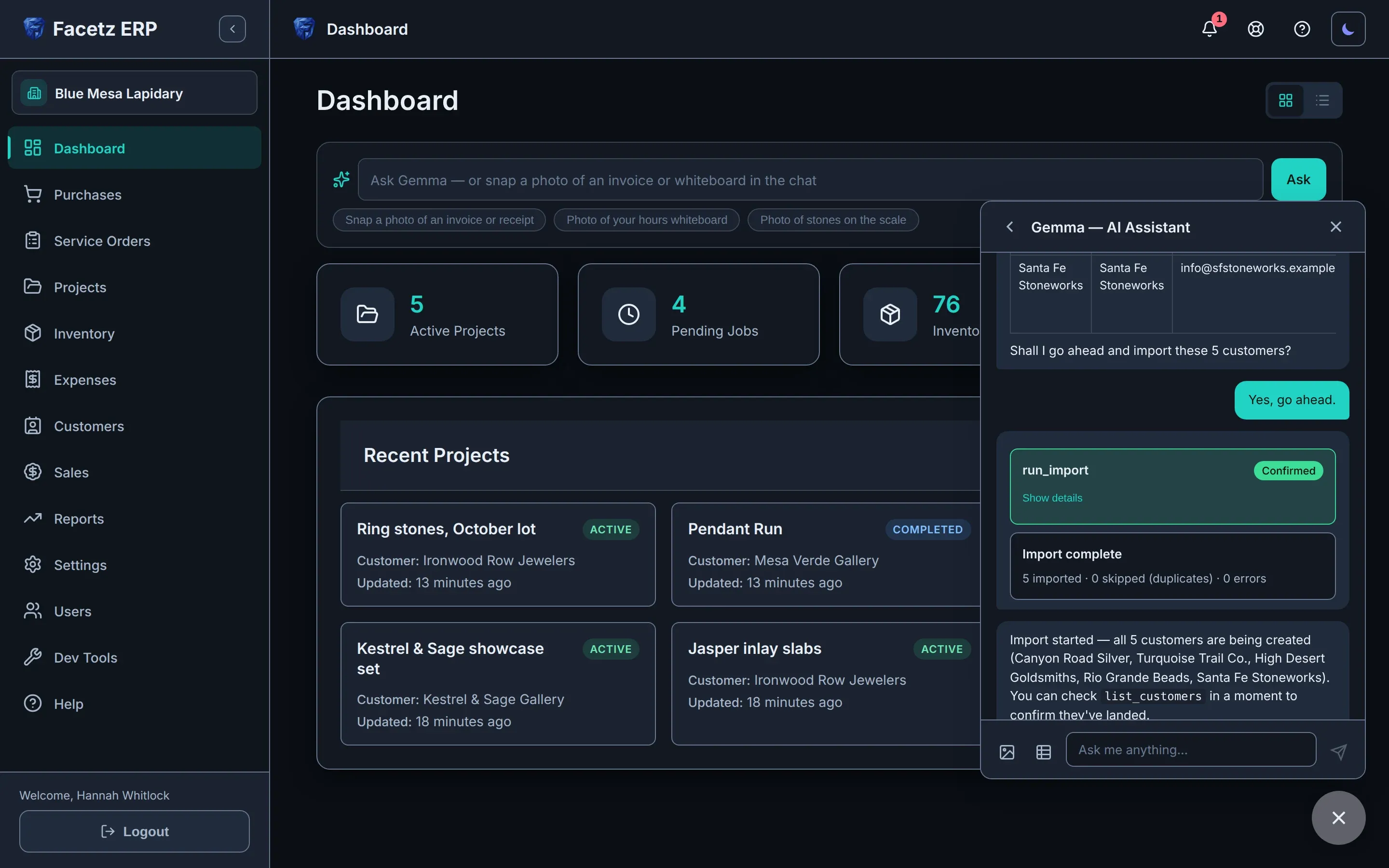
內置助手會讀取你給它看的內容,並草擬好記錄——在你確認之前,一切都不會改變。
  • 拍下工時白板——每一行都會記錄下來。
  • 磅上的寶石——重量會草擬到相應的工作上。
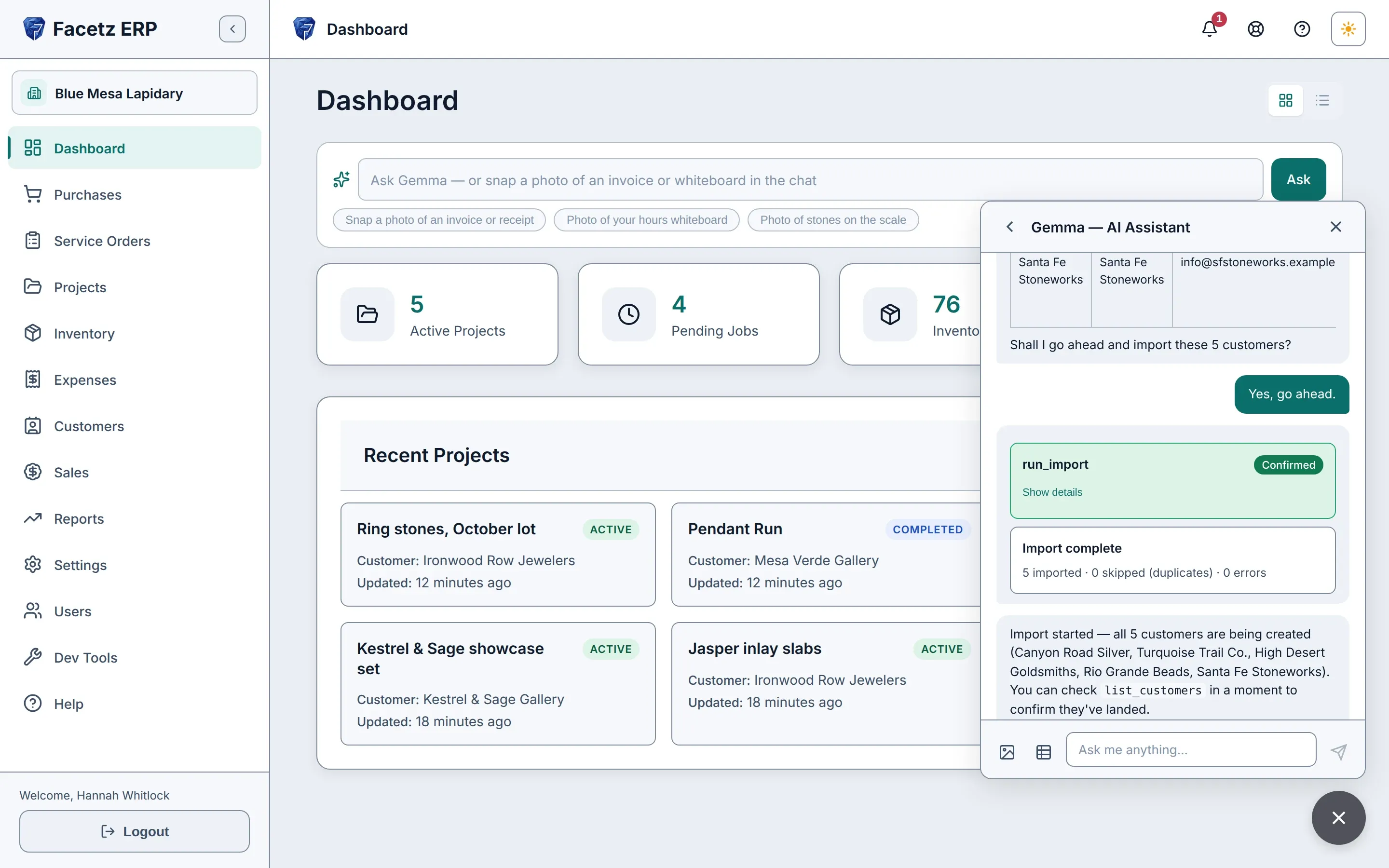
  • 把試算表交給它——Excel、CSV 或 Google Sheets——它會匯入你的資料。
  • 查詢存貨和資金狀況,答案來自你自己的記錄。
  • 每個操作都會出現在一張確認卡上。未經你同意,一切都不會改變。
內置助手 Gemma 正在聊天面板中匯入客戶試算表。內置助手 Gemma 正在聊天面板中匯入客戶試算表。

實際運作示範

只需幾分鐘,由原石走到發票:採購、切割、計算成本、銷售——然後讓內置助手 Gemma 代你記錄下一筆。

影片語言
播放速度
文字稿
  1. Facetz. Know what every stone really cost.
  2. This is Blue Mesa Lapidary. We'll start in Settings.
  3. Facetz works the way your shop does: your phases, materials, cuts and grades, named your way.
  4. Need a tumbling step? Add the phase, name it, save.
  5. And it's ready on every job board and assembly line.
  6. Now, buy some rough. A new purchase: Arizona turquoise, from Sleeping Beauty Mine.
  7. It's rough, grade triple-A. Five hundred grams, for nine hundred dollars.
  8. Save it, and every gram is tracked from the day it arrives.
  9. The card always shows what's left.
  10. Next, a project: the Fall Cabochon Run. It takes two hundred grams of that turquoise, and the other three hundred stay in stock.
  11. Every project, at a glance. Let's open its job board.
  12. A column for every phase, tumbling included. Add a job in cutting, and assign it to Maria.
  13. She'll cut two hundred grams.
  14. Maria starts the job, then her own timer: one tap to start, one to stop.
  15. Hours on the whiteboard? Enter them as written: yesterday, eight to noon.
  16. Four hours, logged.
  17. When the job's done, record what came out: sixty grams of polished cabochons, and a hundred and ten grams of waste.
  18. Open the details: seven dollars sixty a gram. That's Maria's hours at her rate, plus the stone at what you paid.
  19. For a bigger run, start another project: the Pendant Run, three hundred grams, and flip one switch to make it an assembly line through every phase.
  20. Now add the crew. Maria, then Daniel, each at their own pay rate.
  21. Each of them gets a timer for every phase.
  22. Maria taps start on cutting, and the clock runs until she taps stop.
  23. Daniel's hours are on the whiteboard, so just photograph it, and hand it to Gemma.
  24. Gemma reads the board: every name, phase, start and finish, and checks it against the line.
  25. She shows what she'll log, and asks first.
  26. Each entry arrives as a confirmation card. Nothing changes until you confirm.
  27. Confirm all, and the hours are on the line.
  28. Daniel's cutting and polishing, Maria's preforming. Gemma logs all three, then checks her work against the line.
  29. Back on the line, labor and cost add up per phase, live.
  30. When the run's done, complete it.
  31. Log each product as its own yield: ninety grams of cabochons, forty-five of freeforms, a hundred and twenty grams of waste, and there's your yield, forty-five percent, before you confirm.
  32. The line's card keeps it all: output, hours, cost and yield.
  33. What about the costs that aren't stone or labor?
  34. Log any expense, any time. Say, resurfacing the diamond wheel: forty-five dollars, linked to the Pendant Run.
  35. Capitalize it, and it follows the stones into their cost and inventory value.
  36. Marked as capitalized. Now, open that project's cost report.
  37. One page per project: material, labor, and that expense, six dollars and three cents a gram, all in, and the yield for each material.
  38. In inventory, finished goods are one click from the rough: at true cost, valued at market.
  39. Search to find any stone.
  40. The summary splits stone from work, with lifetime yield for each material.
  41. Time to sell. Desert Rose Jewelry wants forty grams of those cabochons, at fourteen dollars a gram.
  42. Save, finalize, and the cost basis is frozen on the invoice.
  43. Two hundred fifty-six dollars of real profit. Not an estimate.
  44. If goods come back, void the invoice, and the stones go back into stock.
  45. Reports are always ready: revenue, cost of goods, margin, net.
  46. Production shows yield, value added, and each cutter's output.
  47. And every table exports to Excel.
  48. Or skip the forms, and just show Gemma, the built-in assistant.
  49. Snap the supplier's invoice, attach it, and ask Gemma to log it as a purchase.
  50. She reads the supplier, the stone, the weight and the price, and matches them to your records.
  51. Then she drafts the purchase, and asks before saving.
  52. Go ahead, and there's the card to confirm.
  53. Confirm, and it's a real purchase: three hundred grams of triple-A turquoise, five hundred forty dollars, from Kingman Rough Traders.
  54. The same record you'd have typed by hand, from one photo.
  55. There it is, every gram available.
  56. Moving from a spreadsheet? Drop it in the chat, and ask Gemma to import your customers.
  57. She maps the columns: name, company, email, phone, and checks every row: five valid, no errors, no duplicates. Tell her to go ahead.
  58. The import waits on its card until you confirm.
  59. All five are imported in one go, and Gemma sums up exactly what she did.
  60. No retyping. No copy and paste.
  61. And there they are: five new customers, ready to sell to.
  62. Know what every stone really cost. Start your free trial today at facetz.app.

配合你的工作方式

東主親自經營的工場

  • 簡單模式:一個精簡的任務選單,以 Gemma 為中心。
  • 手機上用得到,工作枱旁也用得到,有需要時亦可離線。
  • 你切割的每顆寶石的真實成本。
  • 由真實存貨開立簡潔、可直接列印的發票。

生產線

  • 貫穿每個階段的裝配線,每個組別按各自的薪酬率計酬。
  • 按日、按週或按月支付的工資,攤分到期間所做的工作上。
  • 按合併投入的物料計算產出率。
  • 外判工作:將物料送出加工,記錄送回的產出及付款。
  • 支援任何貨幣,報表絕不混合。
  • 工人看不到薪酬率。

誕生於真實的工場

Facetz 誕生於 Nino 的切割枱。試算表無法追蹤一公斤綠松石走完切割、成形及打磨的全過程,於是我們打造了做得到的系統——並用它經營工場。

我們切割綠松石、蛋白石和青金石。我一直知道一批原石花了我多少錢——卻從不知道一顆成品凸圓寶石的成本。現在,每顆寶石都按它的真實成本定價:原石、人工及損耗。

Nino,聯合創辦人 · Nino’s
  • 資料完全屬於你——隨時匯出全部資料。
  • 萬一付款中斷,你的工作區會變為唯讀狀態。不會刪除任何資料。
  • 每間公司的資料均互相隔離,每一次查詢都是如此。
  • 在工作枱亦可離線使用。
  • 11 種語言,包括使用手冊。

一個方案,適合你整個工場

US$59/月

  • 包含 1 名擁有人、1 名經理、1 名工人
  • 每新增一位用戶 +US$12/月,任何角色
  • Gemma AI——已包含 Starter 額度
查看價格

看看每顆石頭的真實成本

用你真正的團隊和真正的石頭開始——免費 14 天。

開始免費試用

有疑問? hello@facetz.app · 聯絡我們